Telefonunuzun bildirdiği konumu ayarlayın — test, gizlilik ve seyahat planlama için. Gerçekte nerede olduğunuz size kalır.


Çoğu "konum değiştirici" uygulama ya yalnızca kendi haritasındaki iğneyi oynatır ya da jailbreak ister. MyLocation, iOS ve Android'in içindeki geliştirici konum araçlarını — Xcode ve Android Studio'nun kullandığı aynı araçları — kullanarak telefonun işletim sisteminin bildirdiği konumu ayarlar. Bir Mac ve bir kablo yeter: jailbreak yok, root yok, telefona hiçbir şey kurulmaz.
Uygulamalar, takipçiler ve reklamcılar iPhone'unuzun bildirdiği konumu okur. Simüle edilmiş konum etkinken sizin seçtiğiniz noktayı görürler, gerçekte bulunduğunuz yeri değil.

Coğrafi sınırlar, "yakınımdaki" sonuçlar, bölgeye özel içerik, teslimat akışları — hepsini masanızdan kalkmadan gerçek bir iPhone'da deneyin.

Gitmeden önce bir şehri keşfedin, arkadaşlarınızla "sanal" bir konum paylaşın ya da bir uygulamanın yurt dışında nasıl davrandığını görün.

How developers, testers and travellers use MyLocation for Mac, from fifteen countries.
I test a delivery app with geofenced pickup zones. Before MyLocation I drove around the block with a test phone. Now I drop a pin in Austin, then Denver, then Miami and watch every geofence trigger from my desk. Saved us days on the last release.
Xcode can simulate a location for the build I'm debugging, but not for the whole phone. This does it at the system level, so Maps, our app and even the weather widget all agree. Setup took five minutes with Developer Mode on.
We launch region-locked content. I set my iPhone to Osaka, Seoul and Singapore one after another and screenshot each variant for the review deck. No jailbreak, nothing installed on the phone. Exactly what I needed.
Finally something that works on Android without a mock-location app. USB debugging on, connect, pick a point, done. Our store locator bug only showed up in Lagos, and I reproduced it in two minutes.
I don't want every app knowing my street. During the workday my phone 'lives' in a park downtown. Real GPS comes back the moment I unplug. Simple, honest tool.
Planning a Lisbon trip, I set the location there and checked which restaurants, transit options and 'near me' results I'd actually see on arrival. Much better than guessing from a desktop browser.
The two-spot movement is great for testing turn-by-turn features. I walk a route at 5 km/h between two points and my app's arrival logic fires exactly as it should. Realistic speed, no teleport jumps.
Our onboarding changes by country. I switched between Paris, Montreal and Dakar on a real device and recorded every flow for the team. Licence key arrived instantly, worked on both my Macs.
Multi-spot routes let me replay a courier's day: warehouse, five stops, back. Our tracking dashboard finally gets tested with real motion instead of hand-edited coordinates.
I verify localized ads and store listings from Sydney while sitting in Melbourne. One click to restore my real location afterwards. Clean, no account, no subscription traps.
Used it to test geo-fenced push notifications. Set the phone inside the zone, outside the zone, back inside. The notification logs matched every move. Worth the licence on the first afternoon.
I was skeptical because other tools needed a jailbreak. This one uses Apple's own developer location feature. My iPhone stayed untouched, and the simulation ends when I disconnect.
Our technicians' app assigns jobs by proximity. I simulate a technician in Guadalajara and another in Monterrey from one desk and check the assignments. Support answered my question the same day.
Investor demo needed the app to 'be' in three cities. I rehearsed it with MyLocation, switching locations live on stage from my Mac. Zero surprises.
The joystick mode is my favorite for testing map pans and live-location sharing between two test phones. The position moves smoothly, with natural jitter, just like real walking.
I test a delivery app with geofenced pickup zones. Before MyLocation I drove around the block with a test phone. Now I drop a pin in Austin, then Denver, then Miami and watch every geofence trigger from my desk. Saved us days on the last release.
Xcode can simulate a location for the build I'm debugging, but not for the whole phone. This does it at the system level, so Maps, our app and even the weather widget all agree. Setup took five minutes with Developer Mode on.
We launch region-locked content. I set my iPhone to Osaka, Seoul and Singapore one after another and screenshot each variant for the review deck. No jailbreak, nothing installed on the phone. Exactly what I needed.
Finally something that works on Android without a mock-location app. USB debugging on, connect, pick a point, done. Our store locator bug only showed up in Lagos, and I reproduced it in two minutes.
I don't want every app knowing my street. During the workday my phone 'lives' in a park downtown. Real GPS comes back the moment I unplug. Simple, honest tool.
Planning a Lisbon trip, I set the location there and checked which restaurants, transit options and 'near me' results I'd actually see on arrival. Much better than guessing from a desktop browser.
The two-spot movement is great for testing turn-by-turn features. I walk a route at 5 km/h between two points and my app's arrival logic fires exactly as it should. Realistic speed, no teleport jumps.
Our onboarding changes by country. I switched between Paris, Montreal and Dakar on a real device and recorded every flow for the team. Licence key arrived instantly, worked on both my Macs.
Multi-spot routes let me replay a courier's day: warehouse, five stops, back. Our tracking dashboard finally gets tested with real motion instead of hand-edited coordinates.
I verify localized ads and store listings from Sydney while sitting in Melbourne. One click to restore my real location afterwards. Clean, no account, no subscription traps.
Used it to test geo-fenced push notifications. Set the phone inside the zone, outside the zone, back inside. The notification logs matched every move. Worth the licence on the first afternoon.
I was skeptical because other tools needed a jailbreak. This one uses Apple's own developer location feature. My iPhone stayed untouched, and the simulation ends when I disconnect.
Our technicians' app assigns jobs by proximity. I simulate a technician in Guadalajara and another in Monterrey from one desk and check the assignments. Support answered my question the same day.
Investor demo needed the app to 'be' in three cities. I rehearsed it with MyLocation, switching locations live on stage from my Mac. Zero surprises.
The joystick mode is my favorite for testing map pans and live-location sharing between two test phones. The position moves smoothly, with natural jitter, just like real walking.
Hesap açmak yok, telefona kurulacak bir şey yok. Lisansı satın alın; anahtarınız ödeme sonrası makbuz sayfasında ve e-postanızda görünür — Mac uygulamasına yapıştırın. Bir lisans en fazla iki Mac'te çalışır.
Yıllık veya Ömür boyu. Satın al'a tıklayın; Gumroad üzerinden güvenli ödeme yaklaşık bir dakika sürer (kart, PayPal, Apple Pay).
Lisans anahtarınız ödemeden hemen sonra makbuz sayfasında gösterilir ve indirme bağlantısıyla birlikte e-postanıza gönderilir.
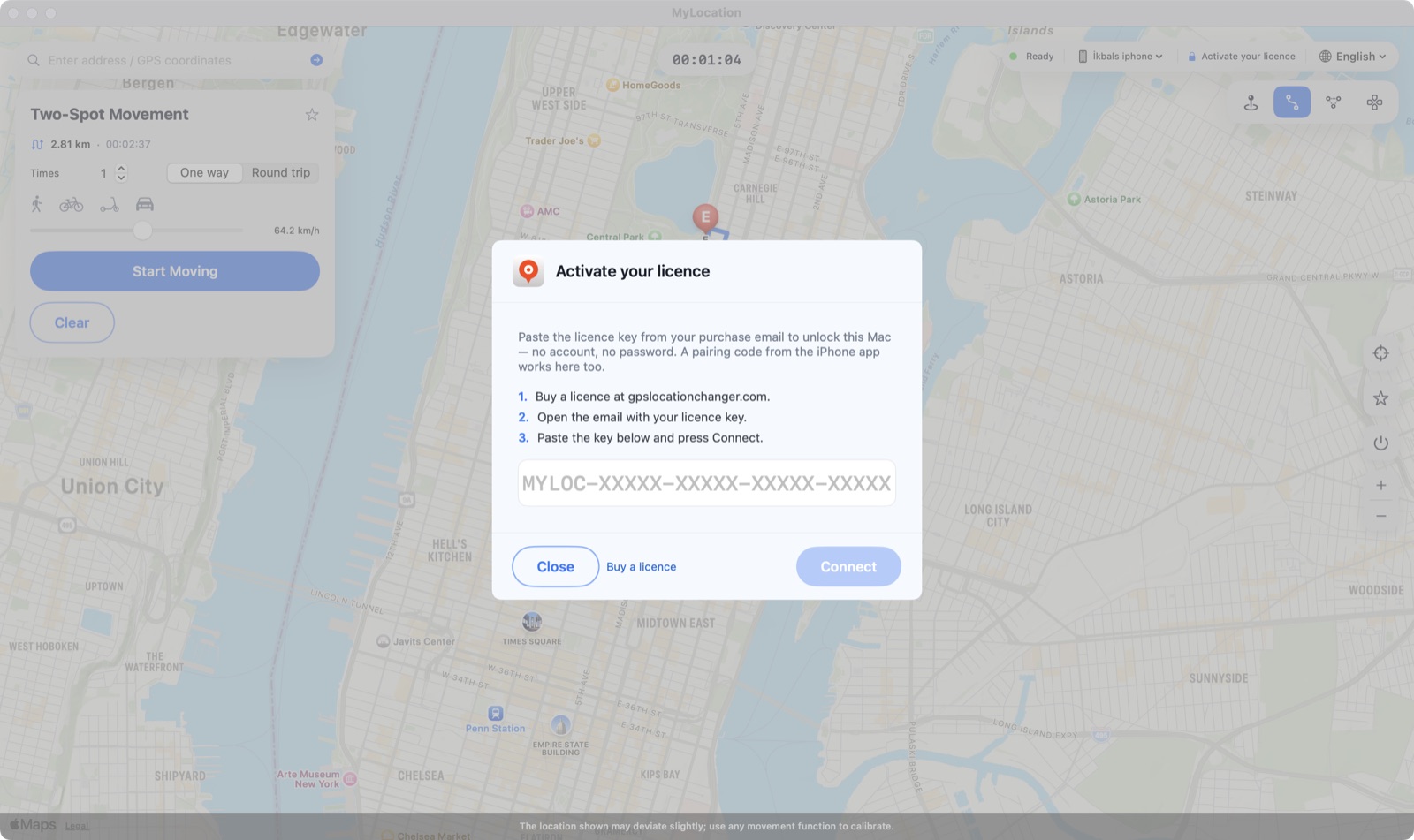
Üst çubuktaki Activate your licence düğmesine tıklayın, anahtarı yapıştırın, Connect'e basın. Mac birkaç günde bir doğrular, arada çevrimdışı çalışır.

MyLocation kendi haritasındaki bir iğneyi oynatmaz. Apple ve Google'ın geliştiricilere sunduğu konum simülasyonu olanaklarını — Xcode ve Android Studio'nun kullandığı aynılarını — kullanır; böylece işletim sisteminin bildirdiği konum değişir ve her uygulama onu normal Konum Servisleri API'si üzerinden okur.

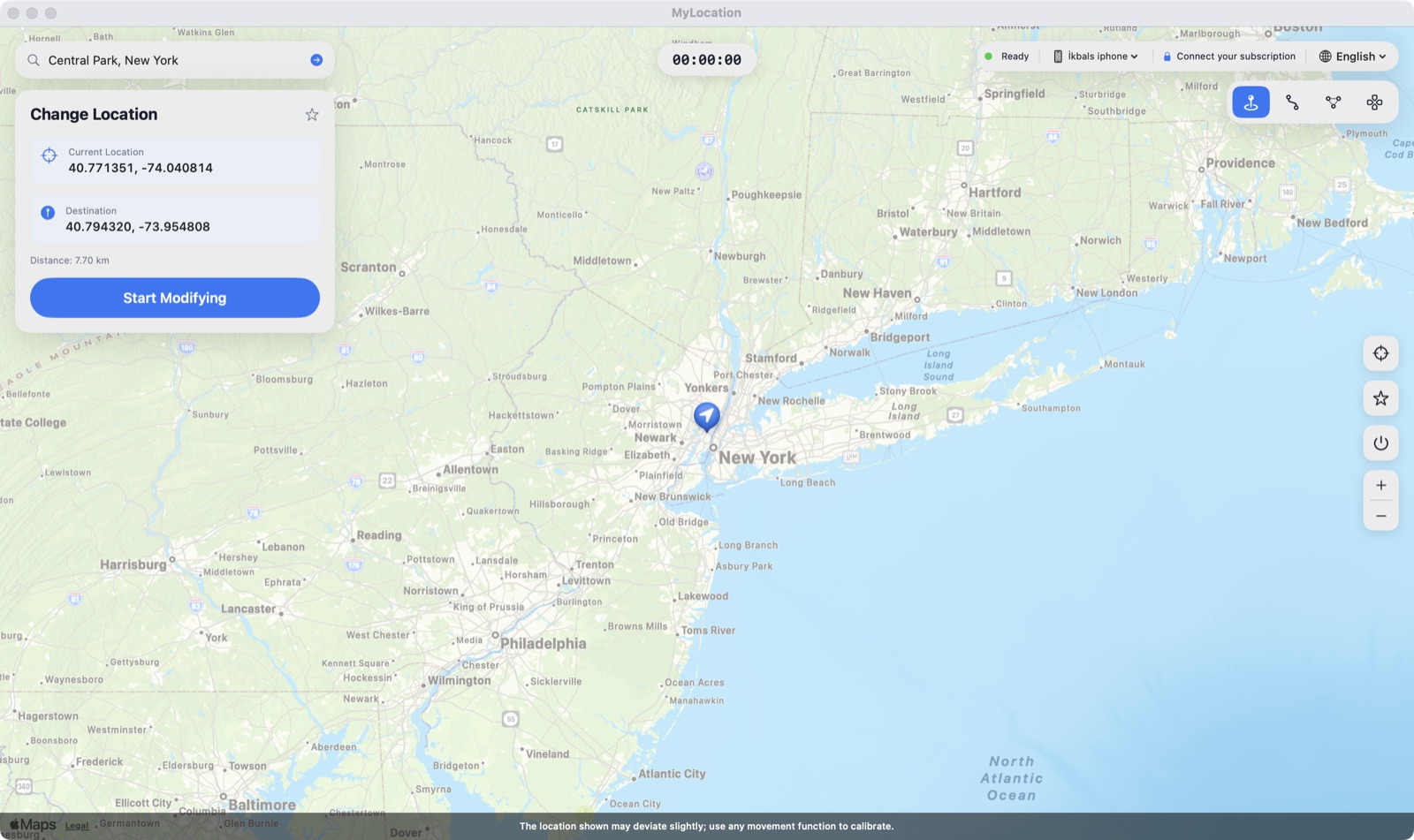
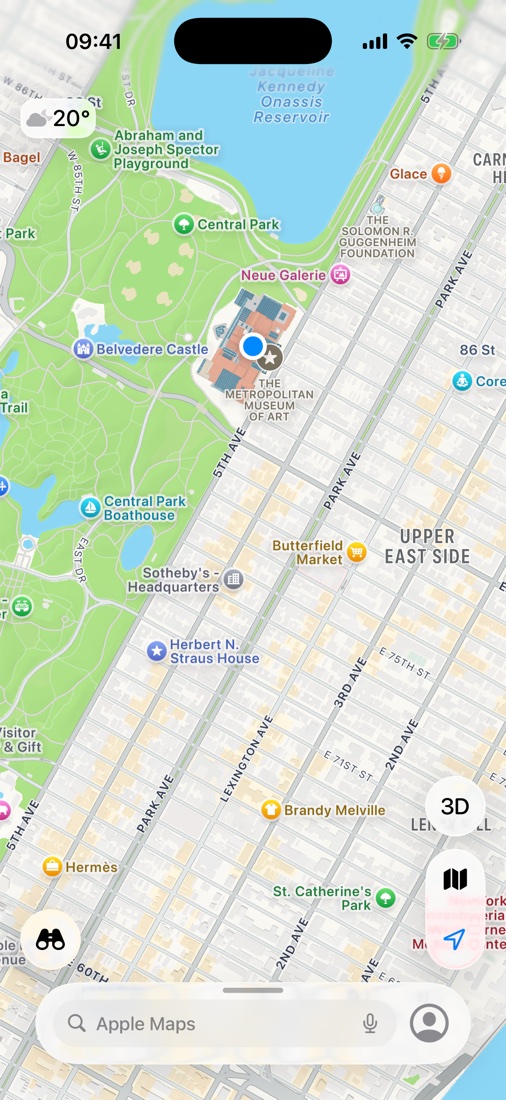
Mac'te New York'taki The Met seçildikten hemen sonra iPhone'daki Haritalar. Mavi nokta, iOS'un her uygulamaya bildirdiği konumdur.
Bazı uygulama ve hizmetler kullanım koşullarında gerçek konumunuzu ister. MyLocation geliştirme, test, gizlilik ve seyahat planlama için tasarlanmıştır; kullandığınız uygulamaların koşullarına uymak sizin sorumluluğunuzdadır.
Tek bir işi iyi yapan, sade bir araç.
Haritaya tıklayın, iPhone oradadır.
Bir yer arayın ya da enlem / boylam yazın.
Sık kullandığınız yerleri kaydedin, tek tıkla geri dönün.
Durdurun, kabloyu çıkarın ya da yeniden başlatın — gerçek GPS anında geri gelir.
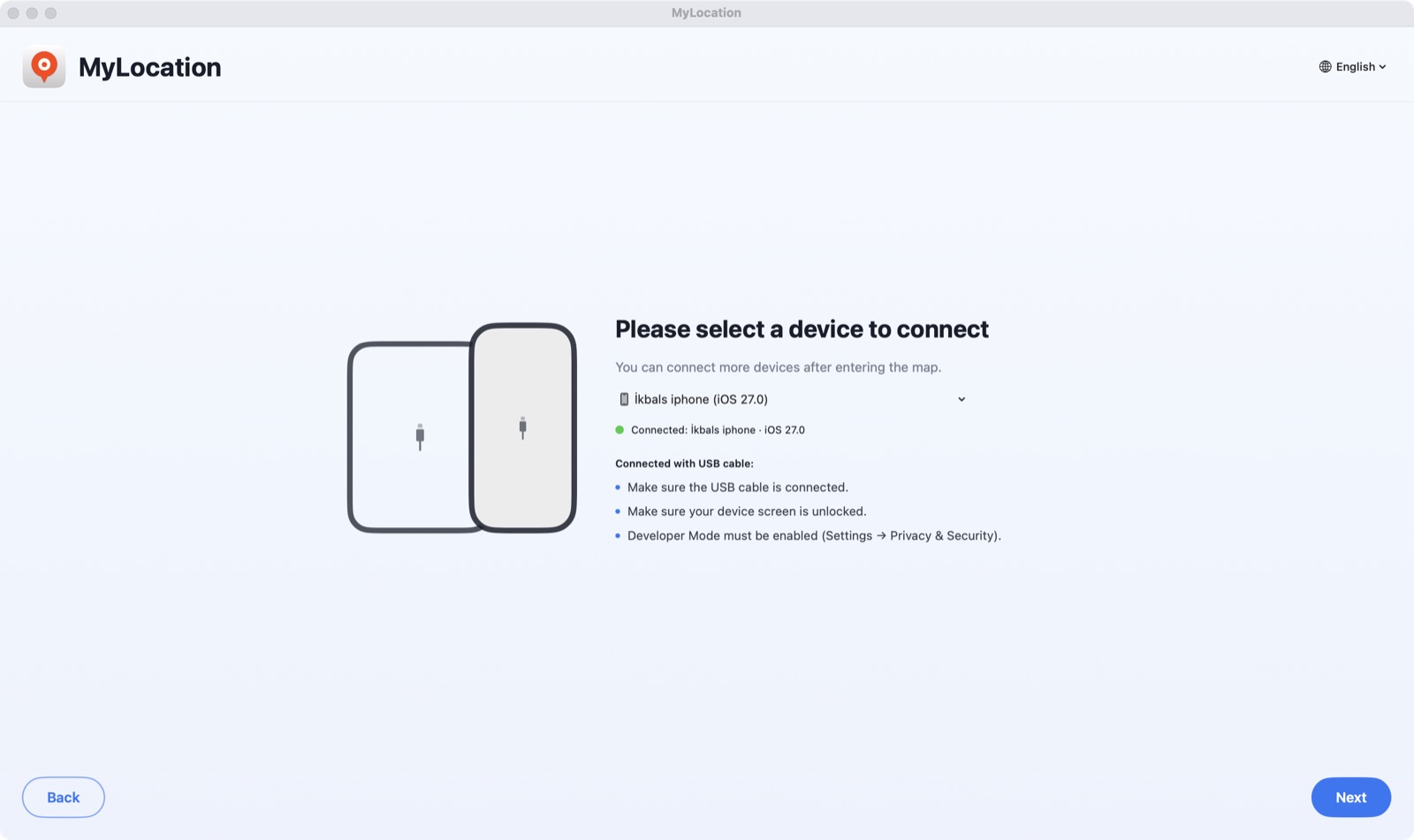
Takın, Güven'e dokunun, bitti. Eşleşmeden sonra Wi-Fi ile devam edebilir.
Telefona hiçbir şey kurulmaz; profil yok, root yok.
Satın alma e-postanızdaki anahtarla etkinleştirin — Apple kimliği yok, hesap yok.
Ev ve ofis. Mac'i istediğiniz zaman değiştirin.
iOS'un içinde gelen geliştirici konum simülasyonu.
Developer ID ile imzalı; macOS uyarı vermeden açar.
Erişim önbelleğe alınır; birkaç günde bir çevrimiçi kontrol eder.
Bütün güncellemeler lisansınıza dahildir.
İlk seferinde yaklaşık iki dakika; sonrasında saniyeler.

DMG'yi açın, MyLocation'ı Applications klasörüne sürükleyin. Telefonda Geliştirici Modu'nu (iPhone) ya da USB hata ayıklama'yı (Android) açın, telefonu takın ve Güven / İzin ver'e dokunun.

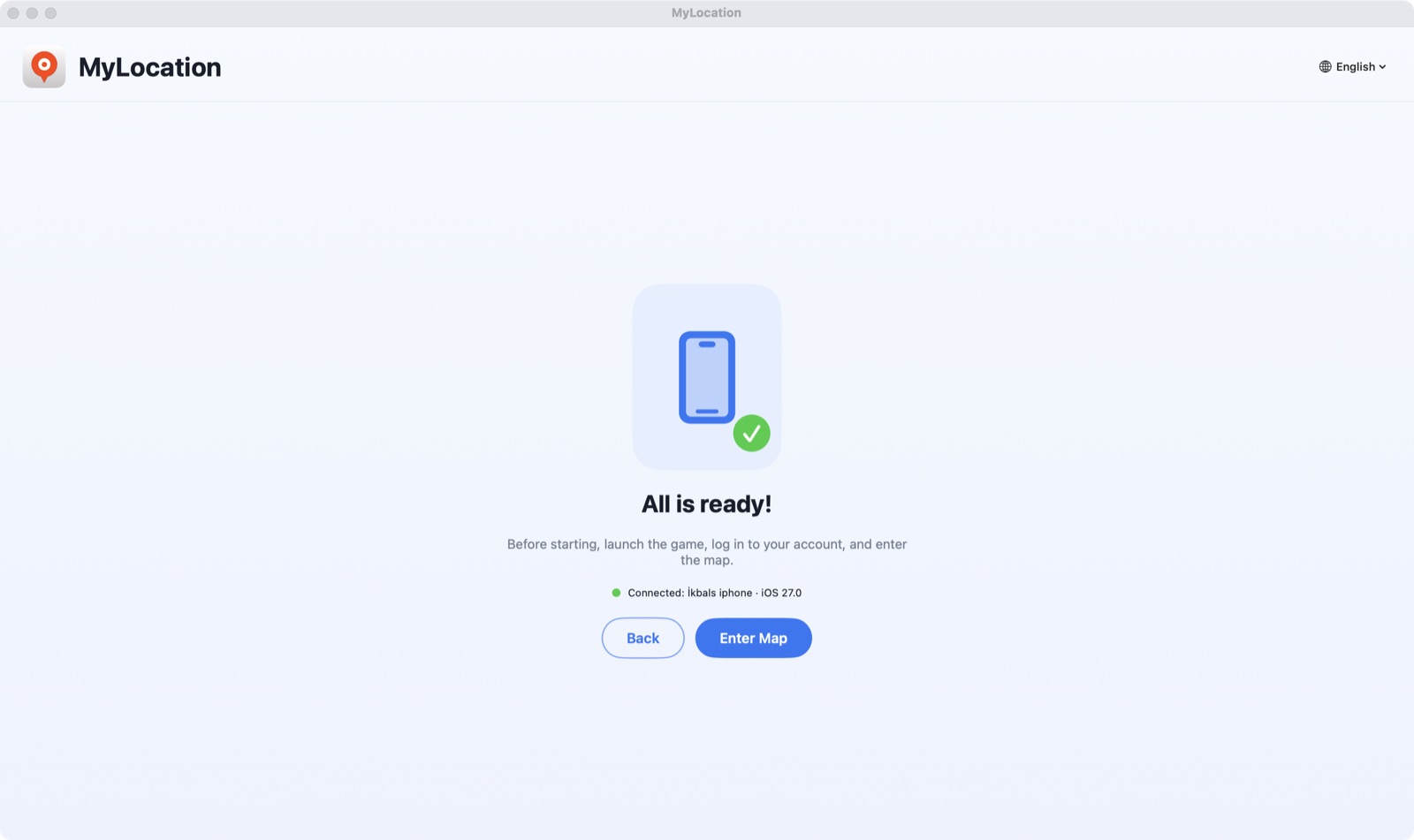
Uygulama telefonunuzu saniyeler içinde bulur. Activate your licence'a tıklayın ve satın alma e-postanızdaki anahtarı yapıştırın.

Bir adres arayın ya da haritaya tıklayın, sonra Start Modifying'e basın. iPhone'unuz artık o konumu bildirir.
Apple, bağlı bir bilgisayarın konumu simüle etmesine yalnızca Geliştirici Modu açıkken izin verir. Bu, Ayarlar'daki resmî bir anahtardır: telefonu jailbreak etmez, garantiyi bozmaz ve istediğiniz zaman kapatabilirsiniz.
iOS 18 – iOS 27 arasında çalışır. Adım adım yazı: iPhone'da Geliştirici Modu nasıl açılır.
Ayarlar → Gizlilik ve Güvenlik → Geliştirici Modu
Android'de uygulama, sistemin kendi test konum sağlayıcısını ADB üzerinden kullanır; ADB, Google'ın geliştiriciler için sunduğu hata ayıklama köprüsüdür. Root gerekmez, sahte konum uygulaması kurulmaz ve durdurduğunuzda gerçek GPS'e döner.
Ayarlar → Sistem → Geliştirici seçenekleri → USB hata ayıklama
adb köprüsü dahil. Telefon saniyeler içinde cihaz listesinde görünür.Android 12 veya üstü. Samsung, Google Pixel, Xiaomi, OnePlus ve diğer telefon ve tabletlerle çalışır. Android Konum Servisleri'ni kullanan her uygulama simüle edilen konumu okur.
İndirmeden önce bunlara bakın.
Uygulama ücretsiz indirilir — ödemeden önce kurup telefonunuzu bulduğunu doğrulayın. Her satın almada 30 gün para iade garantisi vardır. Ödeme Gumroad üzerinden güvenle alınır; lisans anahtarınız ödemeden hemen sonra gösterilir.
Evet. Oturum etkinken iOS, iPhone'unuzdaki uygulamalara simüle edilen koordinatları bildirir. Bu bir simülasyon katmanıdır, donanım değişikliği değil — oturumu durdurun, kabloyu çıkarın ya da iPhone'u yeniden başlatın, gerçek GPS geri gelir.
Evet. USB hata ayıklamayı açın, telefonu bağlayın; MyLocation sistem konumunu Android'in geliştirici köprüsü ADB üzerinden ayarlar. Root ya da sahte konum uygulaması gerekmez. Android 12 ve üzeri gerekir; gereken adb aracı uygulamanın içinde gelir.
Hem Apple hem Google, sistem genelinde konum simülasyonunu yalnızca telefona bağlı bir bilgisayara açar — Xcode ve Android Studio'nun yaptığı gibi. Jailbreak, root, VPN ya da profil gerekmemesinin sebebi de bu.
iPhone'da Ayarlar → Gizlilik ve Güvenlik altındaki bir anahtardır. Apple bunu geliştiriciler için sunar; açmak iOS'u değiştirmez, garantiyi bozmaz ve istediğiniz zaman kapatabilirsiniz.
Lisansı satın alın; anahtarınız makbuz sayfasında gösterilir ve e-postayla gönderilir. Mac uygulamasına bir kez yapıştırın; en fazla iki Mac'te çalışır. Hesap açmak gerekmez, Mac asla Apple Kimliğinizi sormaz.
Satın alırken kullandığınız e-posta adresinden okbsoft@gmail.com adresine yazın, anahtarı yeniden gönderelim.
Şu an yalnızca Apple silicon Mac'ler. Intel ve Windows yol haritamızda; ihtiyacınız varsa bize yazın.
Yıllık lisanslar bize e-posta yazarak iptal edilebilir; lisans dönem sonuna kadar etkin kalır. Satın almadan sonraki 30 gün içinde sizin için çalışmazsa tam iade yaparız. İade politikasına bakın.
Mac uygulamasını indirin, lisans alın, anahtarı yapıştırın. İki dakika.