For developers and QA teams

Test location features on real devices, from your Mac

MyLocation sets an exact GPS position on an iPhone or Android phone connected to your Mac, using the developer location tools that ship with iOS and Android. Your app sees the coordinates through the normal Location Services API, on real hardware, with real sensors and a real OS build.

Free download · Licence from $39.99/year · 30-day money-back guarantee

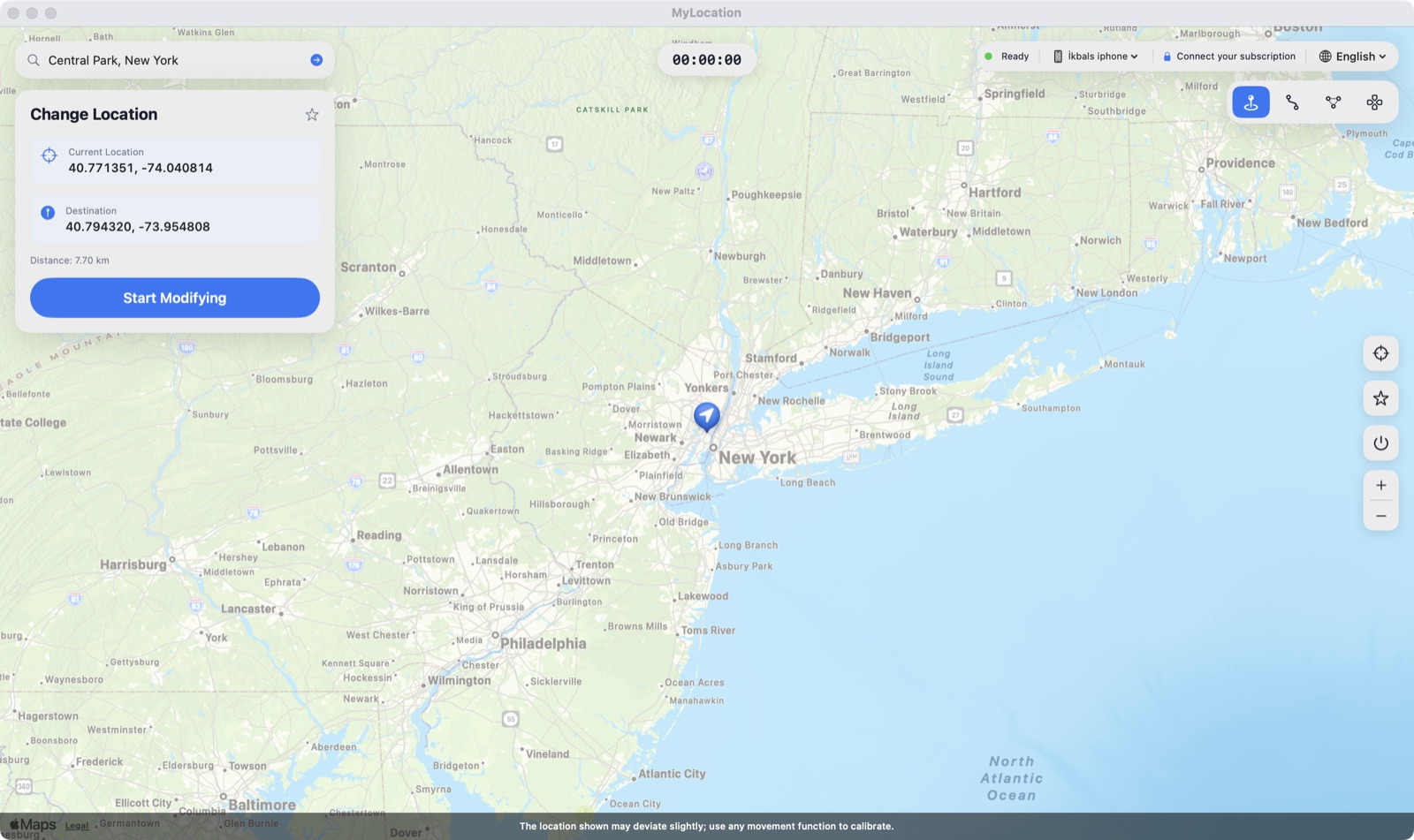
MyLocation for Mac with a destination set on the map and an iPhone connected

What teams use it for

Anything where the answer depends on where the device thinks it is.

Geofence entry and exit

Move the device across a boundary and watch the callback fire on the phone, including background wake-ups that a simulator handles differently.

Nearby search and sorting

Verify distance calculations, radius filters and "closest first" ordering against a known coordinate instead of your office.

Regional content and pricing

Check what a user in another country or city actually sees: catalogue, currency, tax copy, legal notices, feature flags.

Delivery and logistics flows

Step a courier or customer through pickup, in-transit and arrival states without driving anywhere.

Maps, routing and ETA

Start navigation from a fixed origin so screenshots, ETAs and route rendering are reproducible between builds.

Permission and accuracy paths

Exercise the while-in-use, always and reduced-accuracy branches on a device that behaves like a customer's.

Why not just use the simulator?

The Xcode Simulator and the Android emulator both set a location, and for early development they are the right tool. They stop being enough when the thing you are testing depends on the device itself.

Xcode Simulator / Android emulatorMyLocation on a real device
Hardware sensorsSimulated or absentReal GPS stack, real motion sensors, real radios
Background behaviourOften differs from a deviceThe device's own scheduler and power rules
Release buildsDebug builds onlyTestFlight, Play internal testing or a store build
Third-party SDKsSome refuse to runBehave exactly as they will for users
Android OEM differencesStock image onlySamsung, Pixel, Xiaomi and others, each with its own power management
Non-engineersNeeds Xcode or Android StudioA map on the Mac; anyone on the team can drive it

MyLocation uses the same underlying mechanism as those tools: the developer location simulation Apple exposes over a device connection, and Android's test-location provider over ADB. Nothing is installed on the phone and the real GPS returns when you stop.

How it works

Two minutes the first time.

Install the Mac app

Open the DMG and drag MyLocation to Applications. It is signed with a Developer ID and notarized by Apple.

Prepare the device

iPhone: turn on Developer Mode. Android: turn on USB debugging. Connect with a cable and accept the trust prompt.

Set a coordinate

Click the map, search an address, or paste latitude and longitude. Save the places you test often as favourites.

Run your tests

The device reports that position to every app. Press Stop, unplug or restart to hand control back to the real GPS.

Requirements

Check these before you download.

MacmacOS 13 Ventura or later · Apple silicon (M1 or newer)
iPhoneiOS 18 – iOS 27 · Developer Mode enabled · USB cable
AndroidAndroid 12 or later · USB debugging on · adb is bundled with the app
LicenceYearly or Lifetime · up to 2 Macs · 30-day money-back guarantee

Pricing

The app is a free download. Install it, confirm it finds your device, then decide. Checkout is handled securely by Gumroad; your licence key is shown right after payment.

Yearly

$39.99/ year
  • Licence for up to 2 Macs
  • All updates while subscribed
  • Renew only if you want to
Buy Yearly
Best value

Lifetime

$79.99one-time
  • Licence for up to 2 Macs
  • All future updates
  • Pay once, no renewals
Buy Lifetime

Sold by OkbSoft through Gumroad (secure card payment, PayPal, Apple Pay). Keys are delivered instantly. Refund policy · Terms

Questions from engineers

Does my app need a debug build or an SDK?

No. The location is set at the operating system level, so any build reads it through the normal Location Services API — including a TestFlight build, a Play internal test or a store release. There is nothing to link and no code to change.

Can I script it in CI?

Not yet. MyLocation is a desktop app driven from its map; there is no command-line interface. For automated suites, keep using the simulator or the platform test APIs, and use MyLocation for the manual and exploratory passes that need real hardware.

How accurate is the reported position?

The coordinates you enter are what the device reports. Accuracy values and sensor fusion still come from the device, so an app that fuses GPS with Wi-Fi or motion data may smooth or lag the change slightly.

Does it work over Wi-Fi?

Pair with a cable first. After that the connection can continue over Wi-Fi on the same network, though a cable stays the reliable option for long sessions.

How many devices at once?

One device per session today. The licence covers two Macs, so two people on a team can each drive their own device.

Is Developer Mode risky on a test device?

It is an official switch in iOS Settings that Apple provides for exactly this kind of work. It does not modify the OS, does not void the warranty, and can be turned off again. On Android the equivalent is USB debugging.