Legen Sie den Standort fest, den Ihr Handy meldet — für Tests, Datenschutz und Reiseplanung. Wo Sie wirklich sind, bleibt Ihre Sache.


Die meisten „Location-Changer“-Apps verschieben nur einen Pin in ihrer eigenen Karte oder brauchen einen Jailbreak. MyLocation setzt den Standort, den das Betriebssystem des Handys meldet — mit den Entwickler-Standortwerkzeugen von iOS und Android, denselben, die Xcode und Android Studio nutzen. Sie brauchen nur einen Mac und ein Kabel: kein Jailbreak, kein Root, nichts auf dem Handy installiert.
Apps, Tracker und Werbenetzwerke lesen den Standort, den Ihr iPhone meldet. Bei aktiver Simulation sehen sie den Punkt, den Sie gewählt haben — nicht Ihren tatsächlichen Aufenthaltsort.

Geofences, „in der Nähe“-Ergebnisse, regionale Inhalte, Lieferabläufe — prüfen Sie alles auf einem echten iPhone, ohne den Schreibtisch zu verlassen.

Sehen Sie sich eine Stadt vor der Reise an, teilen Sie einen „virtuellen“ Standort mit Freunden oder prüfen Sie, wie sich eine App im Ausland verhält.

How developers, testers and travellers use MyLocation for Mac, from fifteen countries.
I test a delivery app with geofenced pickup zones. Before MyLocation I drove around the block with a test phone. Now I drop a pin in Austin, then Denver, then Miami and watch every geofence trigger from my desk. Saved us days on the last release.
Xcode can simulate a location for the build I'm debugging, but not for the whole phone. This does it at the system level, so Maps, our app and even the weather widget all agree. Setup took five minutes with Developer Mode on.
We launch region-locked content. I set my iPhone to Osaka, Seoul and Singapore one after another and screenshot each variant for the review deck. No jailbreak, nothing installed on the phone. Exactly what I needed.
Finally something that works on Android without a mock-location app. USB debugging on, connect, pick a point, done. Our store locator bug only showed up in Lagos, and I reproduced it in two minutes.
I don't want every app knowing my street. During the workday my phone 'lives' in a park downtown. Real GPS comes back the moment I unplug. Simple, honest tool.
Planning a Lisbon trip, I set the location there and checked which restaurants, transit options and 'near me' results I'd actually see on arrival. Much better than guessing from a desktop browser.
The two-spot movement is great for testing turn-by-turn features. I walk a route at 5 km/h between two points and my app's arrival logic fires exactly as it should. Realistic speed, no teleport jumps.
Our onboarding changes by country. I switched between Paris, Montreal and Dakar on a real device and recorded every flow for the team. Licence key arrived instantly, worked on both my Macs.
Multi-spot routes let me replay a courier's day: warehouse, five stops, back. Our tracking dashboard finally gets tested with real motion instead of hand-edited coordinates.
I verify localized ads and store listings from Sydney while sitting in Melbourne. One click to restore my real location afterwards. Clean, no account, no subscription traps.
Used it to test geo-fenced push notifications. Set the phone inside the zone, outside the zone, back inside. The notification logs matched every move. Worth the licence on the first afternoon.
I was skeptical because other tools needed a jailbreak. This one uses Apple's own developer location feature. My iPhone stayed untouched, and the simulation ends when I disconnect.
Our technicians' app assigns jobs by proximity. I simulate a technician in Guadalajara and another in Monterrey from one desk and check the assignments. Support answered my question the same day.
Investor demo needed the app to 'be' in three cities. I rehearsed it with MyLocation, switching locations live on stage from my Mac. Zero surprises.
The joystick mode is my favorite for testing map pans and live-location sharing between two test phones. The position moves smoothly, with natural jitter, just like real walking.
I test a delivery app with geofenced pickup zones. Before MyLocation I drove around the block with a test phone. Now I drop a pin in Austin, then Denver, then Miami and watch every geofence trigger from my desk. Saved us days on the last release.
Xcode can simulate a location for the build I'm debugging, but not for the whole phone. This does it at the system level, so Maps, our app and even the weather widget all agree. Setup took five minutes with Developer Mode on.
We launch region-locked content. I set my iPhone to Osaka, Seoul and Singapore one after another and screenshot each variant for the review deck. No jailbreak, nothing installed on the phone. Exactly what I needed.
Finally something that works on Android without a mock-location app. USB debugging on, connect, pick a point, done. Our store locator bug only showed up in Lagos, and I reproduced it in two minutes.
I don't want every app knowing my street. During the workday my phone 'lives' in a park downtown. Real GPS comes back the moment I unplug. Simple, honest tool.
Planning a Lisbon trip, I set the location there and checked which restaurants, transit options and 'near me' results I'd actually see on arrival. Much better than guessing from a desktop browser.
The two-spot movement is great for testing turn-by-turn features. I walk a route at 5 km/h between two points and my app's arrival logic fires exactly as it should. Realistic speed, no teleport jumps.
Our onboarding changes by country. I switched between Paris, Montreal and Dakar on a real device and recorded every flow for the team. Licence key arrived instantly, worked on both my Macs.
Multi-spot routes let me replay a courier's day: warehouse, five stops, back. Our tracking dashboard finally gets tested with real motion instead of hand-edited coordinates.
I verify localized ads and store listings from Sydney while sitting in Melbourne. One click to restore my real location afterwards. Clean, no account, no subscription traps.
Used it to test geo-fenced push notifications. Set the phone inside the zone, outside the zone, back inside. The notification logs matched every move. Worth the licence on the first afternoon.
I was skeptical because other tools needed a jailbreak. This one uses Apple's own developer location feature. My iPhone stayed untouched, and the simulation ends when I disconnect.
Our technicians' app assigns jobs by proximity. I simulate a technician in Guadalajara and another in Monterrey from one desk and check the assignments. Support answered my question the same day.
Investor demo needed the app to 'be' in three cities. I rehearsed it with MyLocation, switching locations live on stage from my Mac. Zero surprises.
The joystick mode is my favorite for testing map pans and live-location sharing between two test phones. The position moves smoothly, with natural jitter, just like real walking.
Kein Konto, nichts auf dem Telefon zu installieren. Lizenz kaufen – der Schlüssel erscheint auf der Quittungsseite und in Ihrer E-Mail – in die Mac-App einfügen. Eine Lizenz gilt für bis zu zwei Macs.
Jährlich oder Lifetime. Auf Kaufen klicken; der sichere Checkout über Gumroad dauert etwa eine Minute (Karte, PayPal, Apple Pay).
Ihr Lizenzschlüssel wird direkt nach der Zahlung auf der Quittungsseite angezeigt und zusammen mit dem Download-Link per E-Mail gesendet.
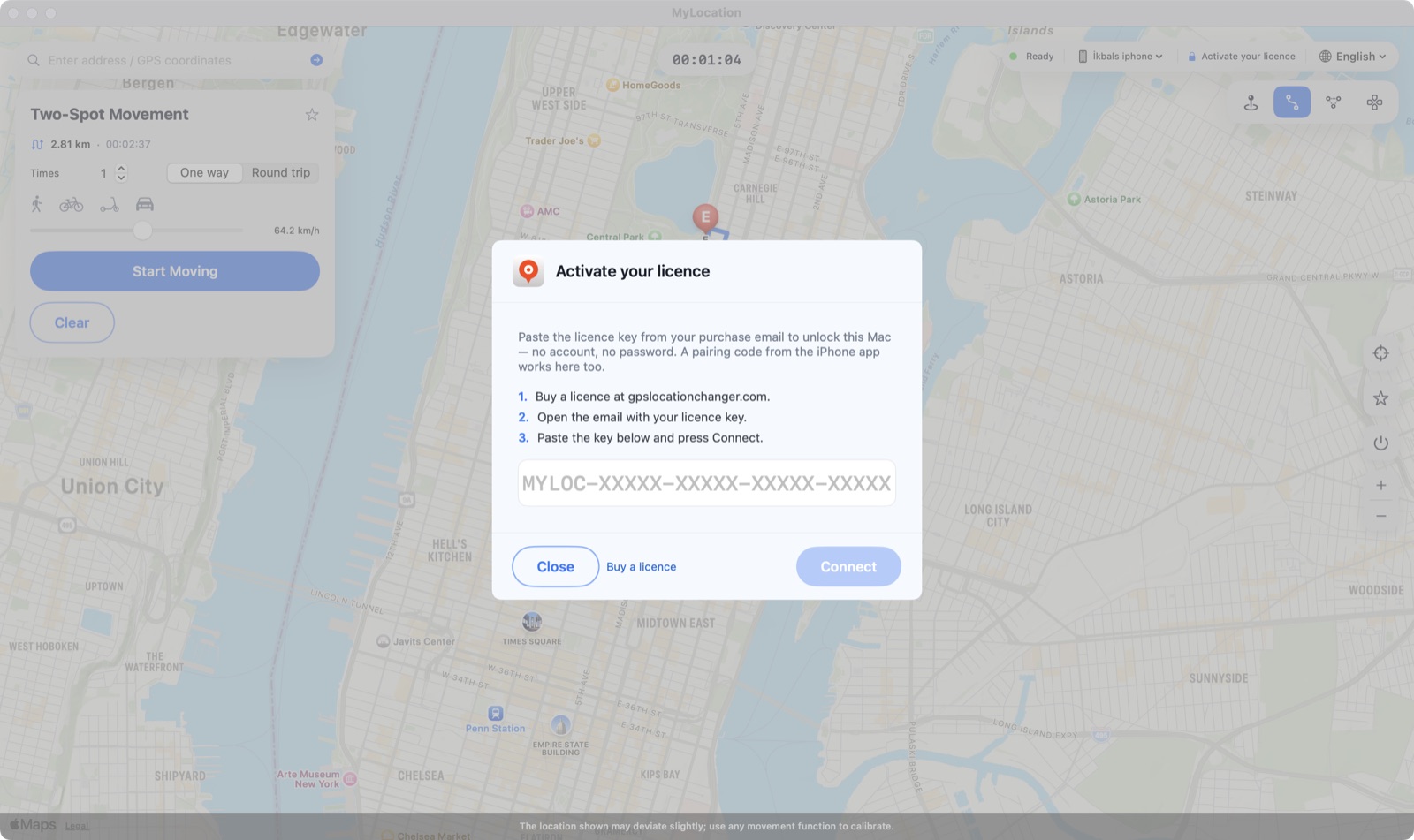
Klicken Sie oben auf Activate your licence, fügen Sie den Schlüssel ein und drücken Sie Connect. Der Mac prüft alle paar Tage nach und arbeitet dazwischen offline.

MyLocation verschiebt keinen Pin in einer eigenen Karte. Es nutzt die Standort-Simulation, die Apple und Google für Entwickler bereitstellen — dieselbe wie Xcode und Android Studio —, sodass sich der vom Betriebssystem gemeldete Standort ändert und jede App ihn über die normale Standort-API liest.

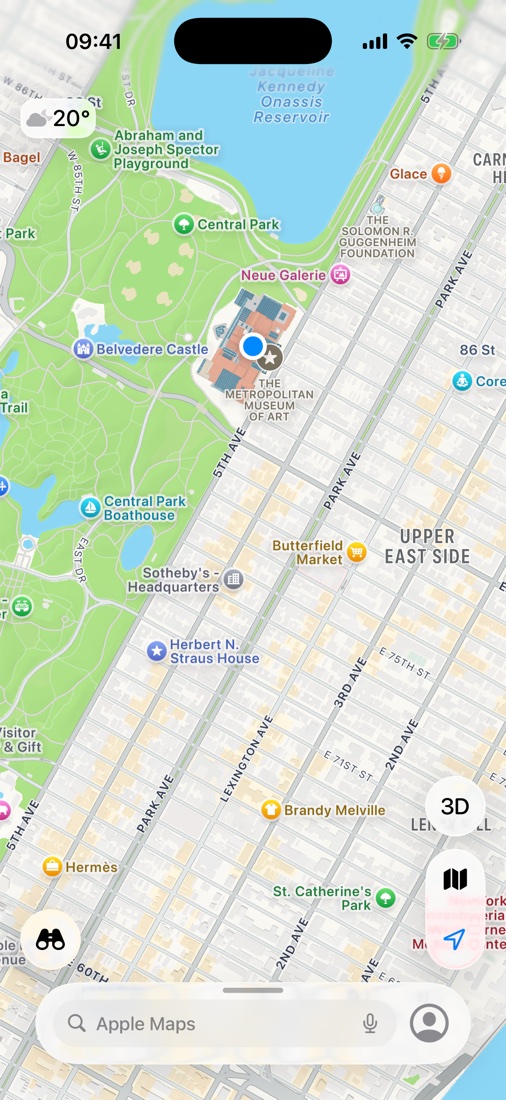
Karten auf dem iPhone, kurz nachdem auf dem Mac The Met in New York gewählt wurde. Der blaue Punkt ist der Standort, den iOS jeder App meldet.
Manche Apps und Dienste verlangen in ihren Nutzungsbedingungen Ihren echten Standort. MyLocation ist für Entwicklung, Tests, Datenschutz und Reiseplanung gedacht; die Einhaltung der Bedingungen der von Ihnen genutzten Apps liegt in Ihrer Verantwortung.
Ein schlankes Werkzeug, das eine Aufgabe gut erledigt.
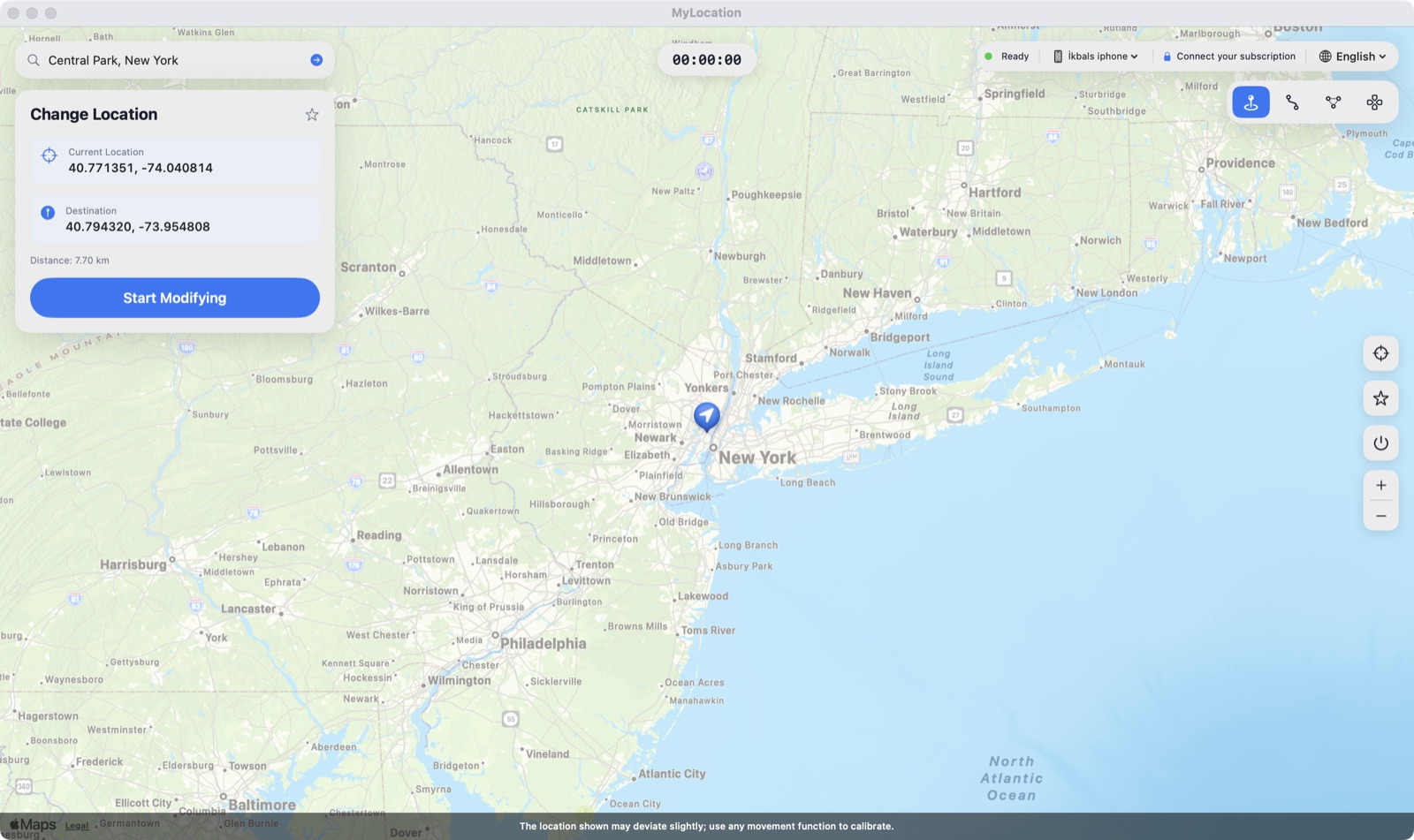
Auf die Karte klicken, und das iPhone ist dort.
Einen Ort suchen oder Breiten- / Längengrad eingeben.
Häufig genutzte Orte speichern und mit einem Klick zurückkehren.
Stoppen, Kabel abziehen oder neu starten — das echte GPS ist sofort zurück.
Anstecken, auf Vertrauen tippen, fertig. Nach dem Koppeln kann es über WLAN weitergehen.
Nichts wird auf dem Handy installiert, keine Profile, kein Root.
Mit dem Schlüssel aus Ihrer Kauf-E-Mail aktivieren — keine Apple-ID, kein Konto.
Zuhause und Büro. Mac jederzeit austauschen.
Die Entwickler-Standortsimulation, die iOS mitbringt.
Mit Developer ID signiert; macOS öffnet die App ohne Warnung.
Zugang wird zwischengespeichert; alle paar Tage Online-Prüfung.
Alle Updates sind in Ihrer Lizenz enthalten.
Beim ersten Mal etwa zwei Minuten, danach Sekunden.

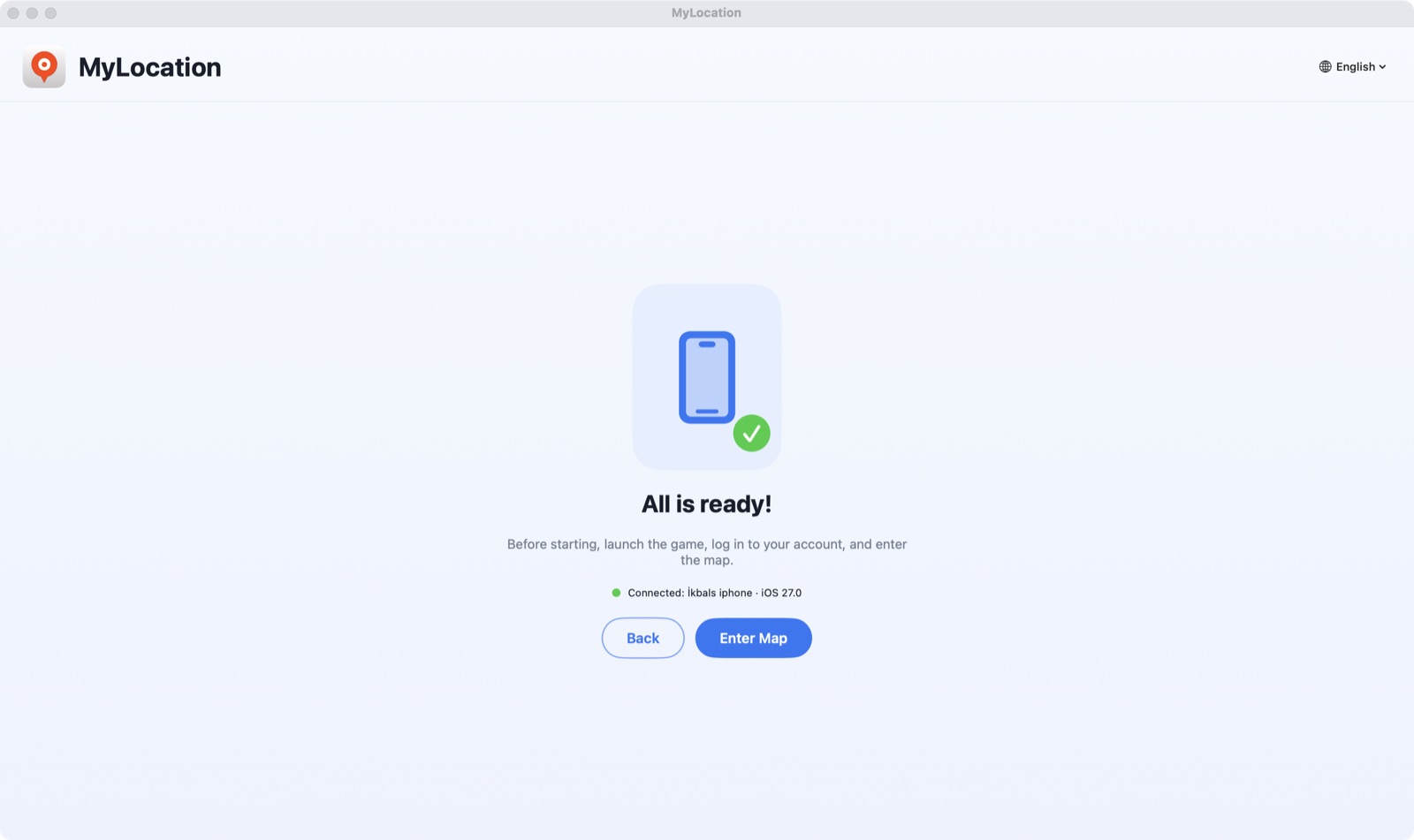
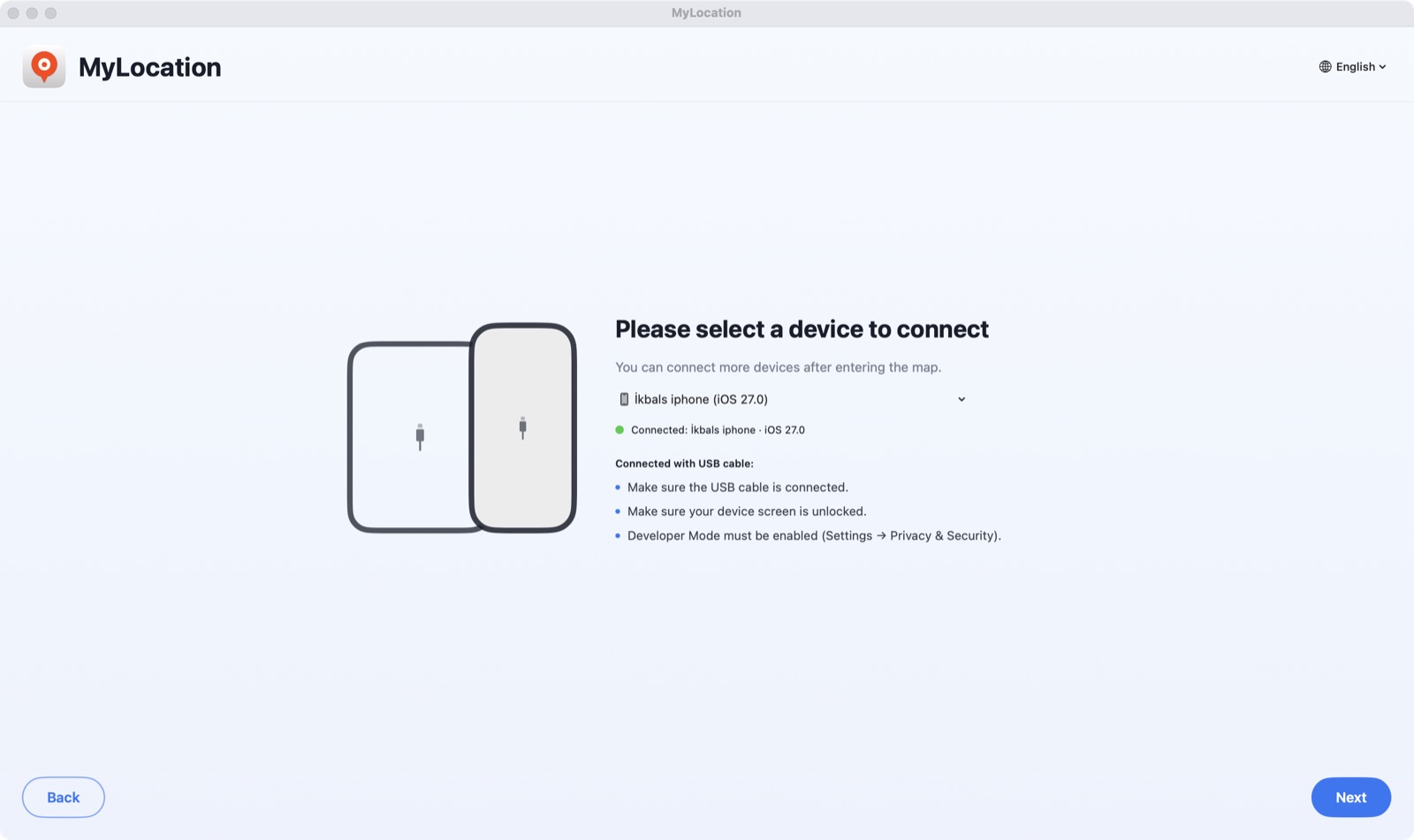
DMG öffnen, MyLocation in den Ordner „Programme“ ziehen. Entwicklermodus (iPhone) oder USB-Debugging (Android) einschalten, Handy anstecken und auf Vertrauen / Zulassen tippen.

Die App findet Ihr Handy in Sekunden. Klicken Sie auf Activate your licence und fügen Sie den Schlüssel aus Ihrer Kauf-E-Mail ein.

Adresse suchen oder auf die Karte klicken, dann Start Modifying drücken. Ihr iPhone meldet nun diesen Standort.
Apple erlaubt einem verbundenen Computer die Standortsimulation nur bei eingeschaltetem Entwicklermodus. Das ist ein offizieller Schalter in den Einstellungen: Er führt keinen Jailbreak durch, hebt die Garantie nicht auf, und Sie können ihn jederzeit wieder ausschalten.
Funktioniert von iOS 18 bis iOS 27. Schritt-für-Schritt-Artikel: Entwicklermodus auf dem iPhone aktivieren.
Einstellungen → Datenschutz & Sicherheit → Entwicklermodus
Unter Android nutzt die App den systemeigenen Test-Standortanbieter über ADB, die Debugging-Brücke, die Google für Entwickler bereitstellt. Kein Root, keine Mock-Location-App, und beim Stoppen kehrt das echte GPS zurück.
Einstellungen → System → Entwickleroptionen → USB-Debugging
adb-Brücke. Das Handy erscheint in Sekunden in der Geräteliste.Android 12 oder neuer. Funktioniert mit Handys und Tablets von Samsung, Google Pixel, Xiaomi, OnePlus und anderen. Jede App, die Androids Standortdienste nutzt, liest die simulierte Position.
Prüfen Sie das vor dem Download.
Die App ist ein kostenloser Download – installieren Sie sie und prüfen Sie vor dem Kauf, ob sie Ihr Telefon findet. Jeder Kauf hat eine 30-Tage-Geld-zurück-Garantie. Der Checkout läuft sicher über Gumroad; Ihr Lizenzschlüssel wird direkt nach der Zahlung angezeigt.
Ja. Während einer Sitzung meldet iOS den Apps auf Ihrem iPhone die simulierten Koordinaten. Es ist eine Simulationsebene, keine Hardware-Änderung — Sitzung beenden, Kabel abziehen oder iPhone neu starten, und das echte GPS ist zurück.
Ja. USB-Debugging einschalten, Handy anschließen, und MyLocation setzt den Systemstandort über ADB, Googles Entwickler-Brücke. Kein Root und keine Mock-Location-App nötig. Sie brauchen Android 12 oder neuer; das erforderliche adb-Werkzeug ist in der App enthalten.
Apple und Google geben die systemweite Standortsimulation nur an einen mit dem Handy verbundenen Computer frei — so wie Xcode und Android Studio es tun. Genau deshalb sind Jailbreak, Root, VPN oder Profile nicht nötig.
Es ist ein Schalter unter iPhone-Einstellungen → Datenschutz & Sicherheit. Apple stellt ihn für Entwickler bereit; das Einschalten verändert iOS nicht und hebt die Garantie nicht auf, und Sie können ihn jederzeit wieder ausschalten.
Lizenz kaufen – der Lizenzschlüssel erscheint auf der Quittungsseite und kommt per E-Mail. Einmal in die Mac-App einfügen; gilt für bis zu zwei Macs. Kein Konto nötig, der Mac fragt nie nach Ihrer Apple-ID.
Schreiben Sie von der E-Mail-Adresse, mit der Sie gekauft haben, an okbsoft@gmail.com — wir senden ihn erneut.
Derzeit nur Macs mit Apple Silicon. Intel und Windows stehen auf der Roadmap; melden Sie sich, wenn Sie das brauchen.
Jahreslizenzen können per E-Mail an uns gekündigt werden; die Lizenz bleibt bis zum Ende des Zeitraums aktiv. Innerhalb von 30 Tagen nach dem Kauf erstatten wir den vollen Betrag, wenn es bei Ihnen nicht funktioniert. Siehe Rückerstattungsrichtlinie.
Mac-App laden, Lizenz holen, Schlüssel einfügen. Zwei Minuten.