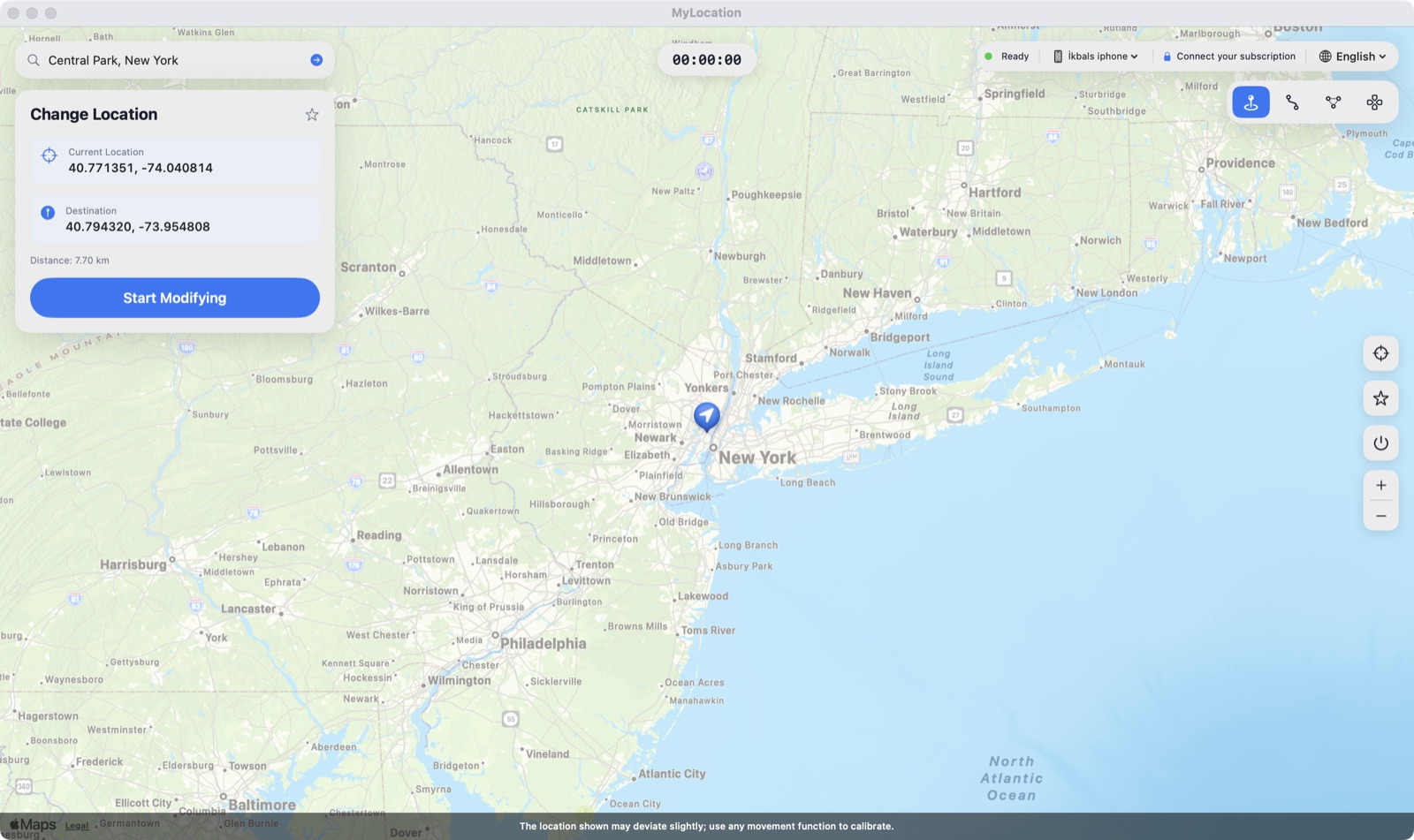
スマホが報告する位置を設定 — テスト、プライバシー、旅行計画に。本当の居場所はあなただけのもの。


多くの「位置変更」アプリは自分の地図上のピンを動かすだけか、脱獄が必要です。MyLocation は iOS と Android に組み込まれた開発者向け位置情報ツール — Xcode や Android Studio と同じ仕組み — を使い、OS が報告する位置そのものを設定します。必要なのは Mac とケーブルだけ。脱獄も root 化も不要、スマホには何もインストールしません。
アプリ、トラッカー、広告事業者は iPhone が報告する位置情報を読み取ります。位置情報のシミュレーション中は、実際の居場所ではなく、あなたが選んだ地点が見えます。

ジオフェンス、「近くの」検索結果、地域별コンテンツ、配達フロー — 席を立たずに実機の iPhone で確認できます。

旅行前に街を下見したり、友人と「仮想の」位置を共有したり、海外でのアプリの挙動を確認したりできます。

How developers, testers and travellers use MyLocation for Mac, from fifteen countries.
I test a delivery app with geofenced pickup zones. Before MyLocation I drove around the block with a test phone. Now I drop a pin in Austin, then Denver, then Miami and watch every geofence trigger from my desk. Saved us days on the last release.
Xcode can simulate a location for the build I'm debugging, but not for the whole phone. This does it at the system level, so Maps, our app and even the weather widget all agree. Setup took five minutes with Developer Mode on.
We launch region-locked content. I set my iPhone to Osaka, Seoul and Singapore one after another and screenshot each variant for the review deck. No jailbreak, nothing installed on the phone. Exactly what I needed.
Finally something that works on Android without a mock-location app. USB debugging on, connect, pick a point, done. Our store locator bug only showed up in Lagos, and I reproduced it in two minutes.
I don't want every app knowing my street. During the workday my phone 'lives' in a park downtown. Real GPS comes back the moment I unplug. Simple, honest tool.
Planning a Lisbon trip, I set the location there and checked which restaurants, transit options and 'near me' results I'd actually see on arrival. Much better than guessing from a desktop browser.
The two-spot movement is great for testing turn-by-turn features. I walk a route at 5 km/h between two points and my app's arrival logic fires exactly as it should. Realistic speed, no teleport jumps.
Our onboarding changes by country. I switched between Paris, Montreal and Dakar on a real device and recorded every flow for the team. Licence key arrived instantly, worked on both my Macs.
Multi-spot routes let me replay a courier's day: warehouse, five stops, back. Our tracking dashboard finally gets tested with real motion instead of hand-edited coordinates.
I verify localized ads and store listings from Sydney while sitting in Melbourne. One click to restore my real location afterwards. Clean, no account, no subscription traps.
Used it to test geo-fenced push notifications. Set the phone inside the zone, outside the zone, back inside. The notification logs matched every move. Worth the licence on the first afternoon.
I was skeptical because other tools needed a jailbreak. This one uses Apple's own developer location feature. My iPhone stayed untouched, and the simulation ends when I disconnect.
Our technicians' app assigns jobs by proximity. I simulate a technician in Guadalajara and another in Monterrey from one desk and check the assignments. Support answered my question the same day.
Investor demo needed the app to 'be' in three cities. I rehearsed it with MyLocation, switching locations live on stage from my Mac. Zero surprises.
The joystick mode is my favorite for testing map pans and live-location sharing between two test phones. The position moves smoothly, with natural jitter, just like real walking.
I test a delivery app with geofenced pickup zones. Before MyLocation I drove around the block with a test phone. Now I drop a pin in Austin, then Denver, then Miami and watch every geofence trigger from my desk. Saved us days on the last release.
Xcode can simulate a location for the build I'm debugging, but not for the whole phone. This does it at the system level, so Maps, our app and even the weather widget all agree. Setup took five minutes with Developer Mode on.
We launch region-locked content. I set my iPhone to Osaka, Seoul and Singapore one after another and screenshot each variant for the review deck. No jailbreak, nothing installed on the phone. Exactly what I needed.
Finally something that works on Android without a mock-location app. USB debugging on, connect, pick a point, done. Our store locator bug only showed up in Lagos, and I reproduced it in two minutes.
I don't want every app knowing my street. During the workday my phone 'lives' in a park downtown. Real GPS comes back the moment I unplug. Simple, honest tool.
Planning a Lisbon trip, I set the location there and checked which restaurants, transit options and 'near me' results I'd actually see on arrival. Much better than guessing from a desktop browser.
The two-spot movement is great for testing turn-by-turn features. I walk a route at 5 km/h between two points and my app's arrival logic fires exactly as it should. Realistic speed, no teleport jumps.
Our onboarding changes by country. I switched between Paris, Montreal and Dakar on a real device and recorded every flow for the team. Licence key arrived instantly, worked on both my Macs.
Multi-spot routes let me replay a courier's day: warehouse, five stops, back. Our tracking dashboard finally gets tested with real motion instead of hand-edited coordinates.
I verify localized ads and store listings from Sydney while sitting in Melbourne. One click to restore my real location afterwards. Clean, no account, no subscription traps.
Used it to test geo-fenced push notifications. Set the phone inside the zone, outside the zone, back inside. The notification logs matched every move. Worth the licence on the first afternoon.
I was skeptical because other tools needed a jailbreak. This one uses Apple's own developer location feature. My iPhone stayed untouched, and the simulation ends when I disconnect.
Our technicians' app assigns jobs by proximity. I simulate a technician in Guadalajara and another in Monterrey from one desk and check the assignments. Support answered my question the same day.
Investor demo needed the app to 'be' in three cities. I rehearsed it with MyLocation, switching locations live on stage from my Mac. Zero surprises.
The joystick mode is my favorite for testing map pans and live-location sharing between two test phones. The position moves smoothly, with natural jitter, just like real walking.
アカウント作成も、スマートフォンへのインストールも不要です。ライセンスを購入すると、キーが領収書ページとメールに表示されます。Mac アプリに貼り付けてください。1 つのライセンスで最大 2 台の Mac で使えます。
年額、永久の 2 プラン。購入をクリックすると、Gumroad による安全な決済が約 1 分で完了します(カード、PayPal、Apple Pay)。
ライセンスキーは支払い直後に領収書ページに表示され、ダウンロードリンクとともにメールでも届きます。
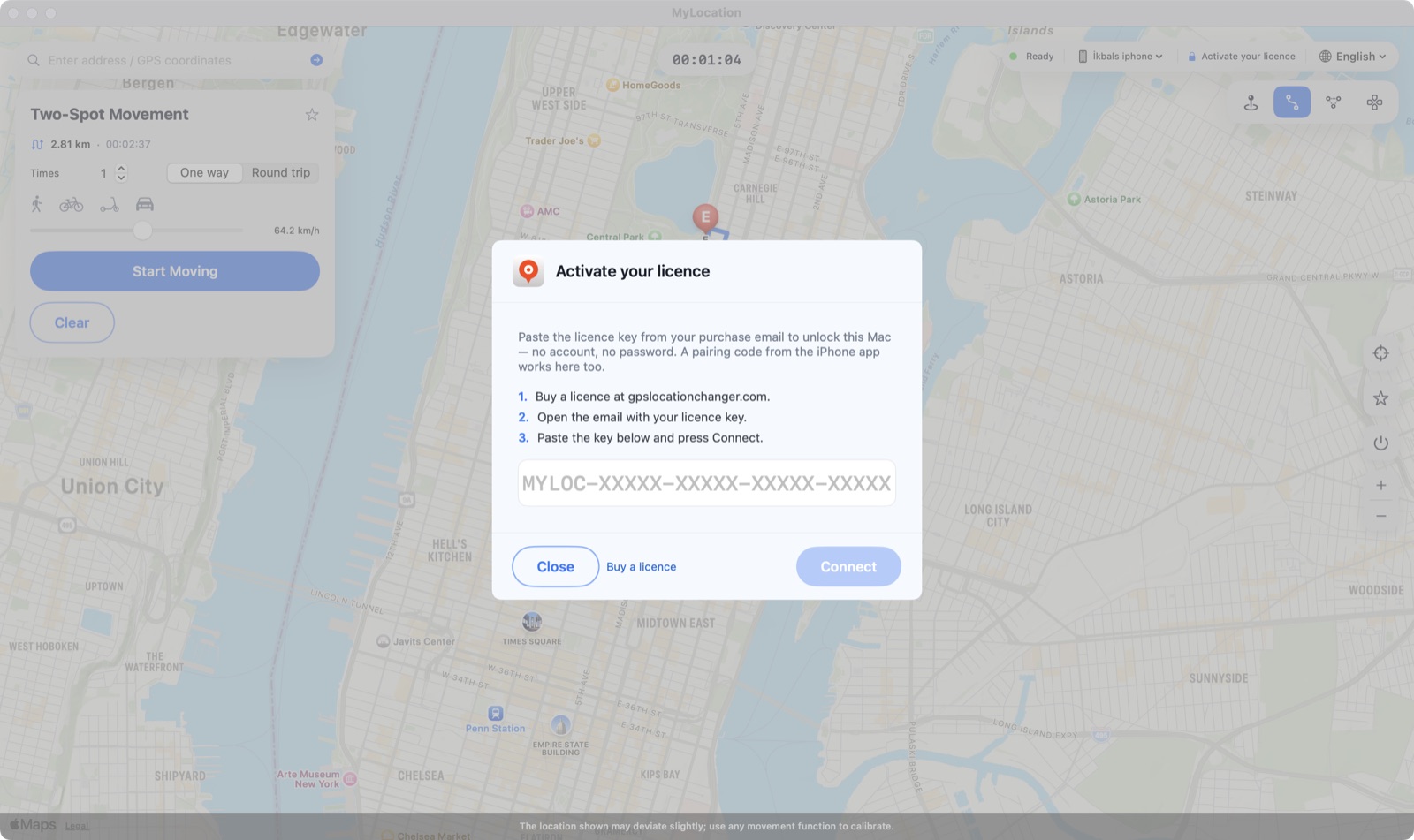
上部バーの Activate your licence をクリックし、キーを貼り付けて Connect を押します。Mac は数日ごとに確認し、その間はオフラインでも動作します。

MyLocation は自分の地図上のピンを動かすのではありません。Apple と Google が開発者向けに提供する位置情報シミュレーション機能 — Xcode や Android Studio と同じもの — を使うため、OS が報告する位置そのものが変わり、すべてのアプリが通常の位置情報 API を通じてそれを読み取ります。

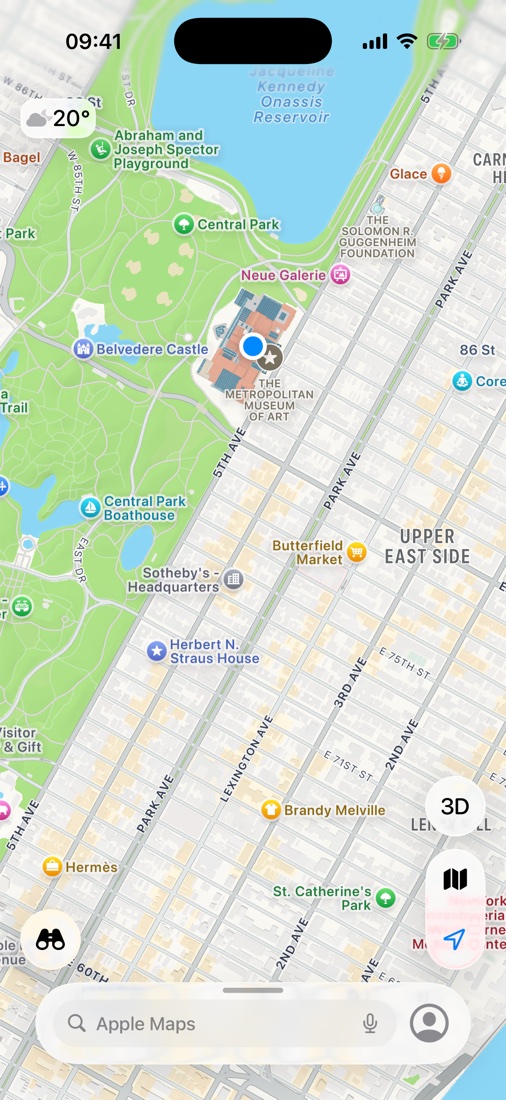
Mac でニューヨークのメトロポリタン美術館を選んだ直後の iPhone のマップ。青い点が iOS がすべてのアプリに報告する位置です。
一部のアプリやサービスは利用規約で実際の位置情報を求めています。MyLocation は開発・テスト・プライバシー・旅行計画のためのツールです。利用するアプリの規約を守る責任は利用者にあります。
ひとつの仕事をきちんとこなす、シンプルなツールです。
地図をクリックすれば、iPhone はそこにいます。
場所を検索するか、緯度・経度を入力します。
よく使う地点を保存して、ワンクリックで戻れます。
停止、ケーブルを抜く、再起動のいずれかで、実際のGPSがすぐに戻ります。
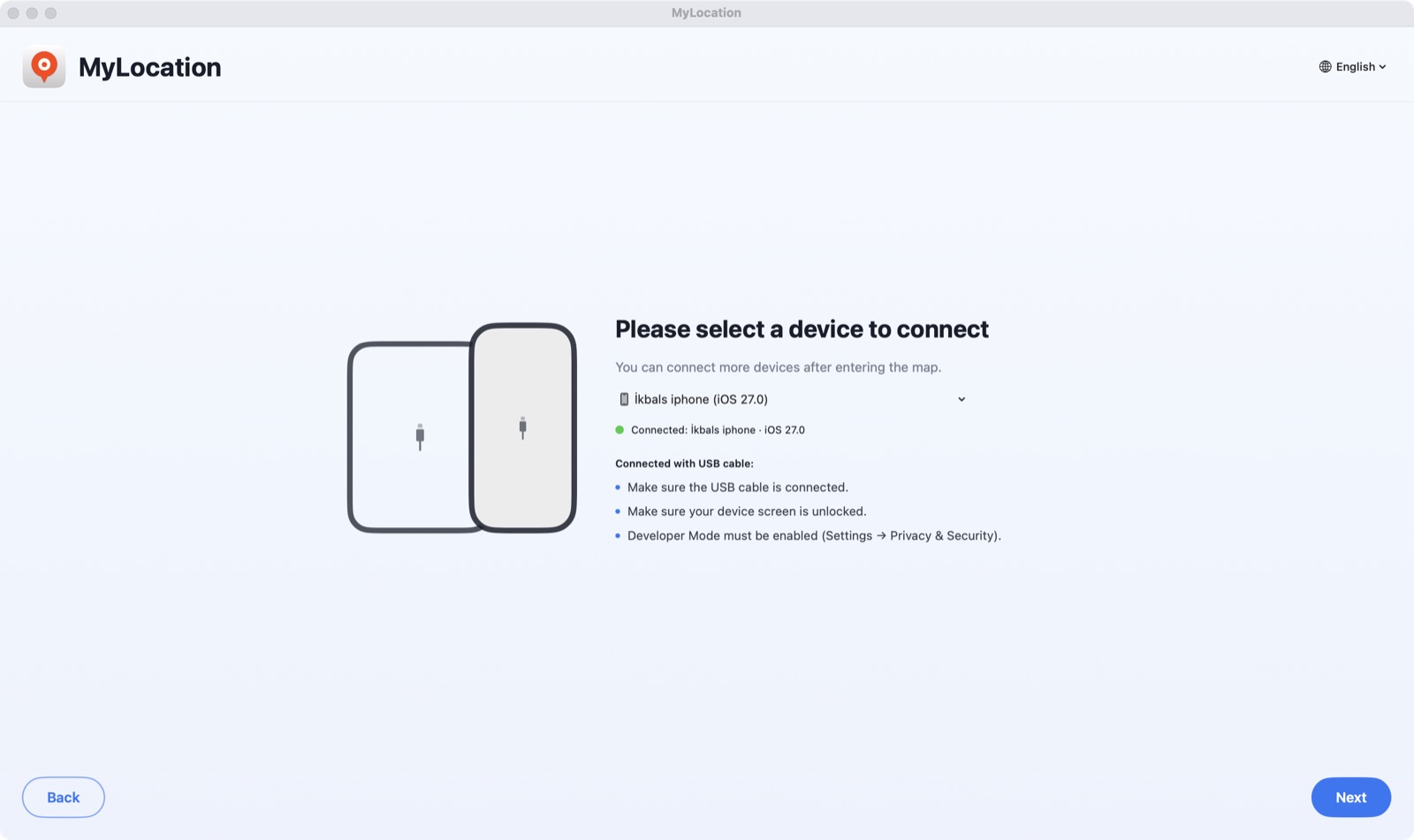
接続して「信頼」をタップするだけ。ペアリング後は Wi-Fi でも続行できます。
スマホには何もインストールしません。構成プロファイルもroot化もありません。
購入メールに記載のキーで有効化 — Apple ID もアカウントも不要です。
自宅とオフィスに。Mac はいつでも入れ替えられます。
iOS に標準搭載された開発者向けの位置情報シミュレーションです。
Developer ID で署名済み。macOS が警告なしで開きます。
アクセス情報をキャッシュ。数日ごとにオンライン確認。
すべてのアップデートがライセンスに含まれます。
初回は約2分、2回目以降は数秒です。

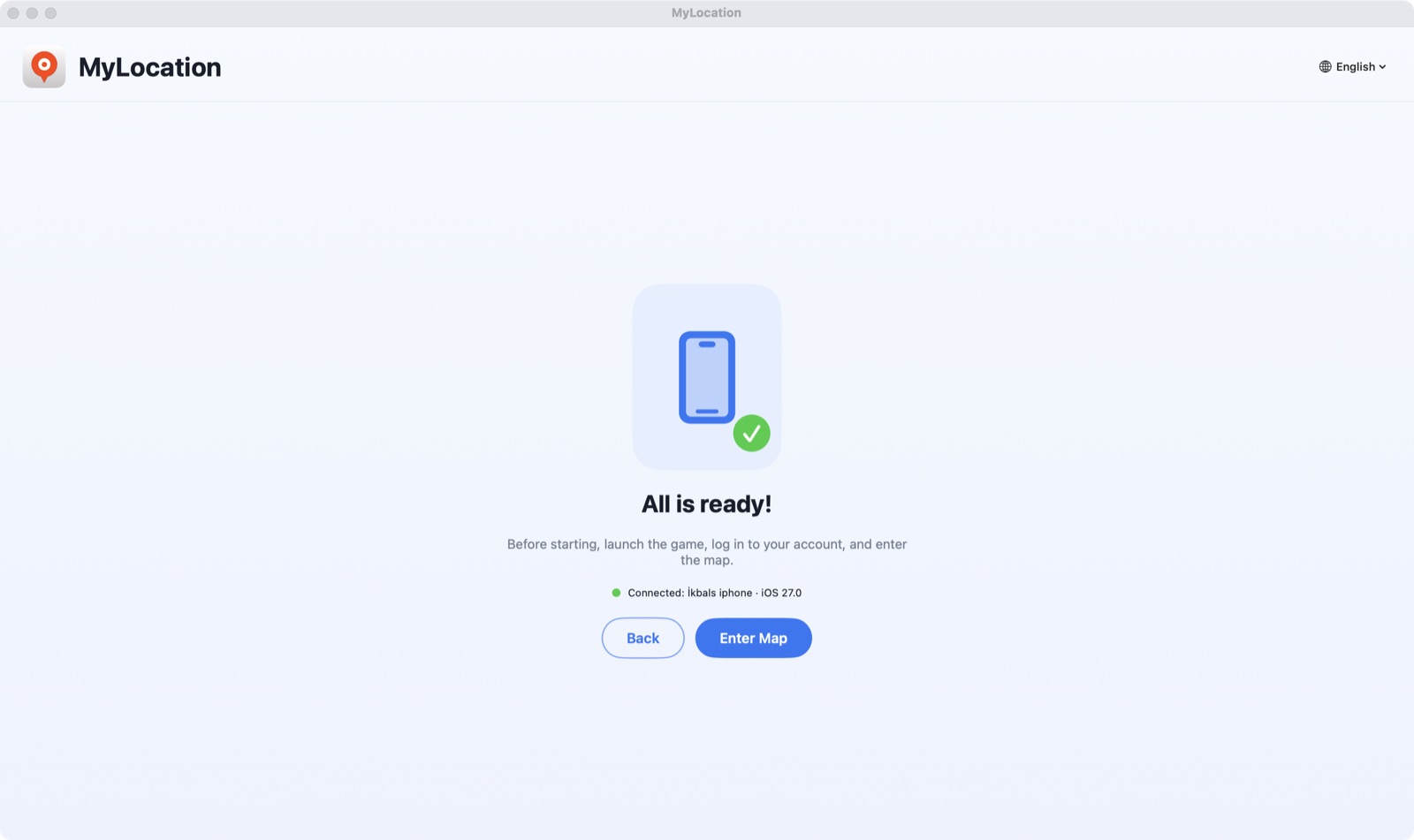
DMG を開き、MyLocation を「アプリケーション」にドラッグします。デベロッパモード(iPhone)または USBデバッグ(Android)をオンにし、スマホを接続して 信頼 / 許可 をタップします。

アプリが数秒でスマホを検出します。Activate your licence をクリックし、購入メールのキーを貼り付けてください。

住所を検索するか地図をクリックし、Start Modifying を押します。iPhone がその位置を報告するようになります。
Apple は、デベロッパモードがオンのときにだけ、接続されたコンピュータによる位置情報のシミュレーションを許可します。これは「設定」にある公式のスイッチです。脱獄ではなく、保証も無効になりません。いつでもオフに戻せます。
iOS 18 から iOS 27 まで対応。手順の記事: iPhone でデベロッパモードをオンにする方法。
設定 → プライバシーとセキュリティ → デベロッパモード
Android ではシステム標準のテスト用位置情報プロバイダを ADB 経由で利用します。ADB は Google が開発者向けに提供するデバッグ用の橋渡しです。root化も、位置偽装アプリのインストールも不要で、停止すれば実際のGPSに戻ります。
設定 → システム → 開発者向けオプション → USBデバッグ
adb を含め、必要なものはすべてアプリに内蔵されています。数秒でデバイス一覧にスマホが表示されます。Android 12 以降。Samsung、Google Pixel、Xiaomi、OnePlus などのスマホ・タブレットに対応。Android の位置情報サービスを使うすべてのアプリがシミュレートされた位置を読み取ります。
ダウンロード前にご確認ください。
はい。セッション中、iOS は iPhone 上のアプリにシミュレーションされた座標を報告します。ハードウェアの変更ではなくシミュレーションの層なので、セッションを停止する、ケーブルを抜く、iPhone を再起動すれば実際のGPSに戻ります。
はい。USBデバッグをオンにしてスマホを接続すると、MyLocation が Android の開発者向けブリッジである ADB を通じてシステムの位置情報を設定します。root化も位置偽装アプリも不要です。Android 12 以降が必要で、必要な adb はアプリに内蔵されています。
Apple も Google も、システム全体の位置情報シミュレーションは、スマホに接続されたコンピュータにだけ開放しています。Xcode や Android Studio と同じ仕組みです。脱獄もroot化もVPNも構成プロファイルも不要なのは、このためです。
iPhone の 設定 → プライバシーとセキュリティ にあるスイッチです。Apple が開発者向けに用意しているもので、オンにしても iOS は変更されず、保証も無効になりません。いつでもオフにできます。
ライセンスを購入すると、ライセンスキーが領収書ページに表示され、メールでも送られます。Mac アプリに一度貼り付ければ、最大 2 台の Mac で使えます。アカウント作成は不要で、Mac が Apple ID を求めることはありません。
購入時のメールアドレスから okbsoft@gmail.com までご連絡ください。再送いたします。
現在は Apple シリコン搭載の Mac のみです。Intel 版と Windows 版は検討中です。必要な方はご連絡ください。
年額ライセンスはメールで解約でき、期間終了まで有効です。購入後 30 日以内に動作しない場合は全額返金します。返金ポリシーをご覧ください。