휴대폰이 보고하는 위치를 설정하세요 — 테스트, 개인정보 보호, 여행 계획용. 진짜 위치는 당신만 압니다.


대부분의 "위치 변경" 앱은 자체 지도 안의 핀만 옮기거나 탈옥이 필요합니다. MyLocation은 iOS와 Android에 내장된 개발자용 위치 도구 — Xcode와 Android Studio가 쓰는 바로 그 도구 — 로 휴대폰 운영체제가 보고하는 위치를 설정합니다. Mac과 케이블만 있으면 됩니다. 탈옥도 루팅도 없고, 휴대폰에 아무것도 설치하지 않습니다.
앱과 추적기, 광고 사업자는 iPhone이 알려주는 위치를 읽습니다. 위치 시뮬레이션이 켜져 있으면 실제 있는 곳이 아니라 여러분이 고른 지점이 보입니다.

지오펜스, '내 주변' 결과, 지역별 콘텐츠, 배달 흐름 — 자리에서 일어나지 않고 실제 iPhone에서 확인하세요.

여행 전에 도시를 미리 둘러보거나, 친구와 '가상' 위치를 공유하거나, 해외에서 앱이 어떻게 동작하는지 확인해 보세요.

How developers, testers and travellers use MyLocation for Mac, from fifteen countries.
I test a delivery app with geofenced pickup zones. Before MyLocation I drove around the block with a test phone. Now I drop a pin in Austin, then Denver, then Miami and watch every geofence trigger from my desk. Saved us days on the last release.
Xcode can simulate a location for the build I'm debugging, but not for the whole phone. This does it at the system level, so Maps, our app and even the weather widget all agree. Setup took five minutes with Developer Mode on.
We launch region-locked content. I set my iPhone to Osaka, Seoul and Singapore one after another and screenshot each variant for the review deck. No jailbreak, nothing installed on the phone. Exactly what I needed.
Finally something that works on Android without a mock-location app. USB debugging on, connect, pick a point, done. Our store locator bug only showed up in Lagos, and I reproduced it in two minutes.
I don't want every app knowing my street. During the workday my phone 'lives' in a park downtown. Real GPS comes back the moment I unplug. Simple, honest tool.
Planning a Lisbon trip, I set the location there and checked which restaurants, transit options and 'near me' results I'd actually see on arrival. Much better than guessing from a desktop browser.
The two-spot movement is great for testing turn-by-turn features. I walk a route at 5 km/h between two points and my app's arrival logic fires exactly as it should. Realistic speed, no teleport jumps.
Our onboarding changes by country. I switched between Paris, Montreal and Dakar on a real device and recorded every flow for the team. Licence key arrived instantly, worked on both my Macs.
Multi-spot routes let me replay a courier's day: warehouse, five stops, back. Our tracking dashboard finally gets tested with real motion instead of hand-edited coordinates.
I verify localized ads and store listings from Sydney while sitting in Melbourne. One click to restore my real location afterwards. Clean, no account, no subscription traps.
Used it to test geo-fenced push notifications. Set the phone inside the zone, outside the zone, back inside. The notification logs matched every move. Worth the licence on the first afternoon.
I was skeptical because other tools needed a jailbreak. This one uses Apple's own developer location feature. My iPhone stayed untouched, and the simulation ends when I disconnect.
Our technicians' app assigns jobs by proximity. I simulate a technician in Guadalajara and another in Monterrey from one desk and check the assignments. Support answered my question the same day.
Investor demo needed the app to 'be' in three cities. I rehearsed it with MyLocation, switching locations live on stage from my Mac. Zero surprises.
The joystick mode is my favorite for testing map pans and live-location sharing between two test phones. The position moves smoothly, with natural jitter, just like real walking.
I test a delivery app with geofenced pickup zones. Before MyLocation I drove around the block with a test phone. Now I drop a pin in Austin, then Denver, then Miami and watch every geofence trigger from my desk. Saved us days on the last release.
Xcode can simulate a location for the build I'm debugging, but not for the whole phone. This does it at the system level, so Maps, our app and even the weather widget all agree. Setup took five minutes with Developer Mode on.
We launch region-locked content. I set my iPhone to Osaka, Seoul and Singapore one after another and screenshot each variant for the review deck. No jailbreak, nothing installed on the phone. Exactly what I needed.
Finally something that works on Android without a mock-location app. USB debugging on, connect, pick a point, done. Our store locator bug only showed up in Lagos, and I reproduced it in two minutes.
I don't want every app knowing my street. During the workday my phone 'lives' in a park downtown. Real GPS comes back the moment I unplug. Simple, honest tool.
Planning a Lisbon trip, I set the location there and checked which restaurants, transit options and 'near me' results I'd actually see on arrival. Much better than guessing from a desktop browser.
The two-spot movement is great for testing turn-by-turn features. I walk a route at 5 km/h between two points and my app's arrival logic fires exactly as it should. Realistic speed, no teleport jumps.
Our onboarding changes by country. I switched between Paris, Montreal and Dakar on a real device and recorded every flow for the team. Licence key arrived instantly, worked on both my Macs.
Multi-spot routes let me replay a courier's day: warehouse, five stops, back. Our tracking dashboard finally gets tested with real motion instead of hand-edited coordinates.
I verify localized ads and store listings from Sydney while sitting in Melbourne. One click to restore my real location afterwards. Clean, no account, no subscription traps.
Used it to test geo-fenced push notifications. Set the phone inside the zone, outside the zone, back inside. The notification logs matched every move. Worth the licence on the first afternoon.
I was skeptical because other tools needed a jailbreak. This one uses Apple's own developer location feature. My iPhone stayed untouched, and the simulation ends when I disconnect.
Our technicians' app assigns jobs by proximity. I simulate a technician in Guadalajara and another in Monterrey from one desk and check the assignments. Support answered my question the same day.
Investor demo needed the app to 'be' in three cities. I rehearsed it with MyLocation, switching locations live on stage from my Mac. Zero surprises.
The joystick mode is my favorite for testing map pans and live-location sharing between two test phones. The position moves smoothly, with natural jitter, just like real walking.
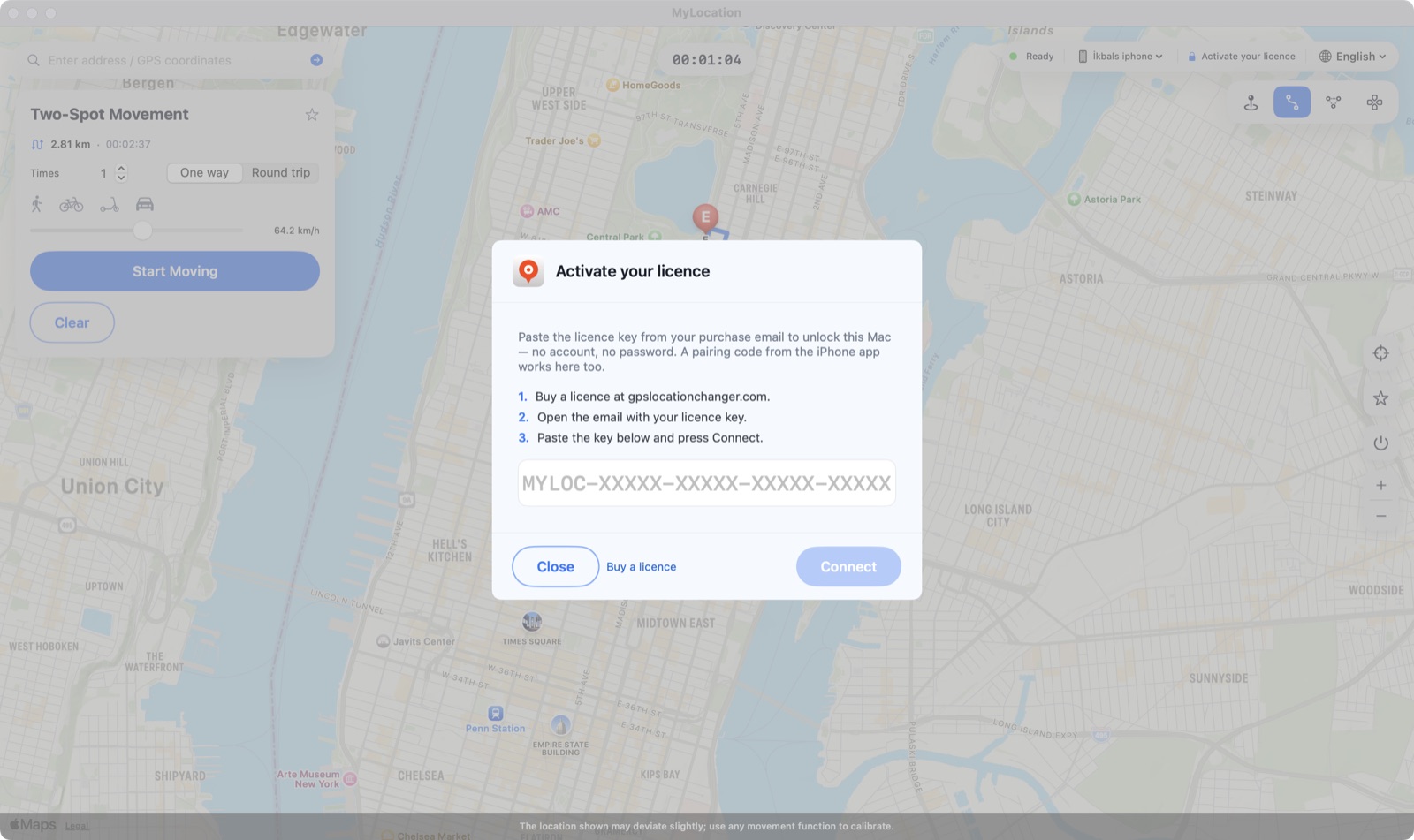
계정을 만들 필요도, 휴대폰에 설치할 것도 없습니다. 라이선스를 구매하면 키가 영수증 페이지와 이메일에 표시됩니다. Mac 앱에 붙여넣기만 하세요. 라이선스 하나로 최대 2대의 Mac에서 사용할 수 있습니다.
연간 또는 평생. 구매를 클릭하면 Gumroad의 안전한 결제가 약 1분 만에 끝납니다(카드, PayPal, Apple Pay).
라이선스 키는 결제 직후 영수증 페이지에 표시되며 다운로드 링크와 함께 이메일로도 전송됩니다.
상단 바의 Activate your licence를 클릭하고 키를 붙여넣은 뒤 Connect를 누르세요. Mac은 며칠에 한 번 확인하며, 그 사이에는 오프라인으로 동작합니다.

MyLocation은 자체 지도 안의 핀을 옮기지 않습니다. Apple과 Google이 개발자에게 제공하는 위치 시뮬레이션 기능 — Xcode와 Android Studio가 쓰는 바로 그 기능 — 을 사용하므로 운영체제가 보고하는 위치 자체가 바뀌고, 모든 앱이 일반 위치 서비스 API로 그 위치를 읽습니다.

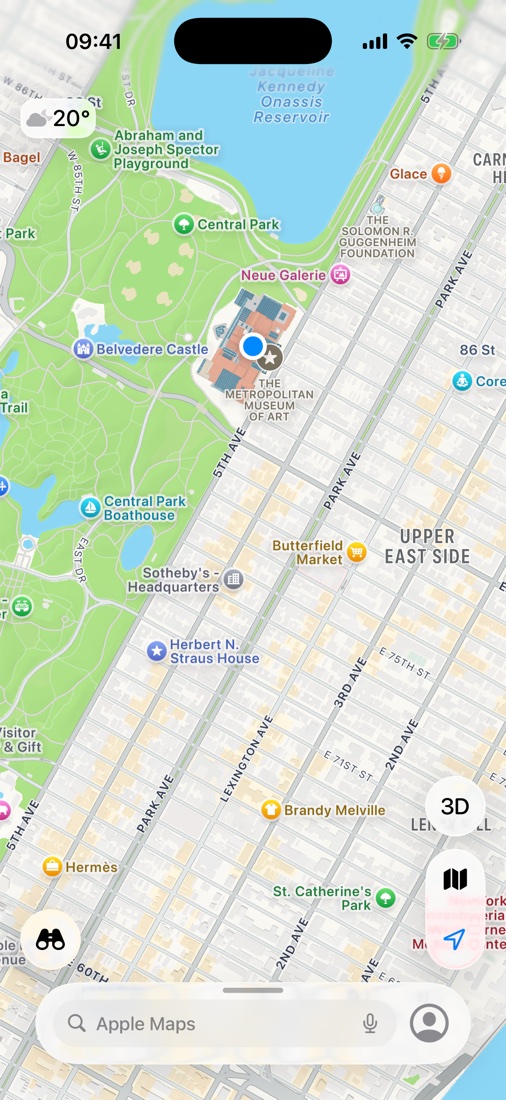
Mac에서 뉴욕 메트로폴리탄 미술관을 선택한 직후의 iPhone 지도. 파란 점이 iOS가 모든 앱에 보고하는 위치입니다.
일부 앱과 서비스는 이용약관에서 실제 위치를 요구합니다. MyLocation은 개발, 테스트, 개인정보 보호, 여행 계획을 위한 도구이며, 사용하는 앱의 약관 준수는 사용자의 책임입니다.
한 가지 일을 제대로 하는 단순한 도구입니다.
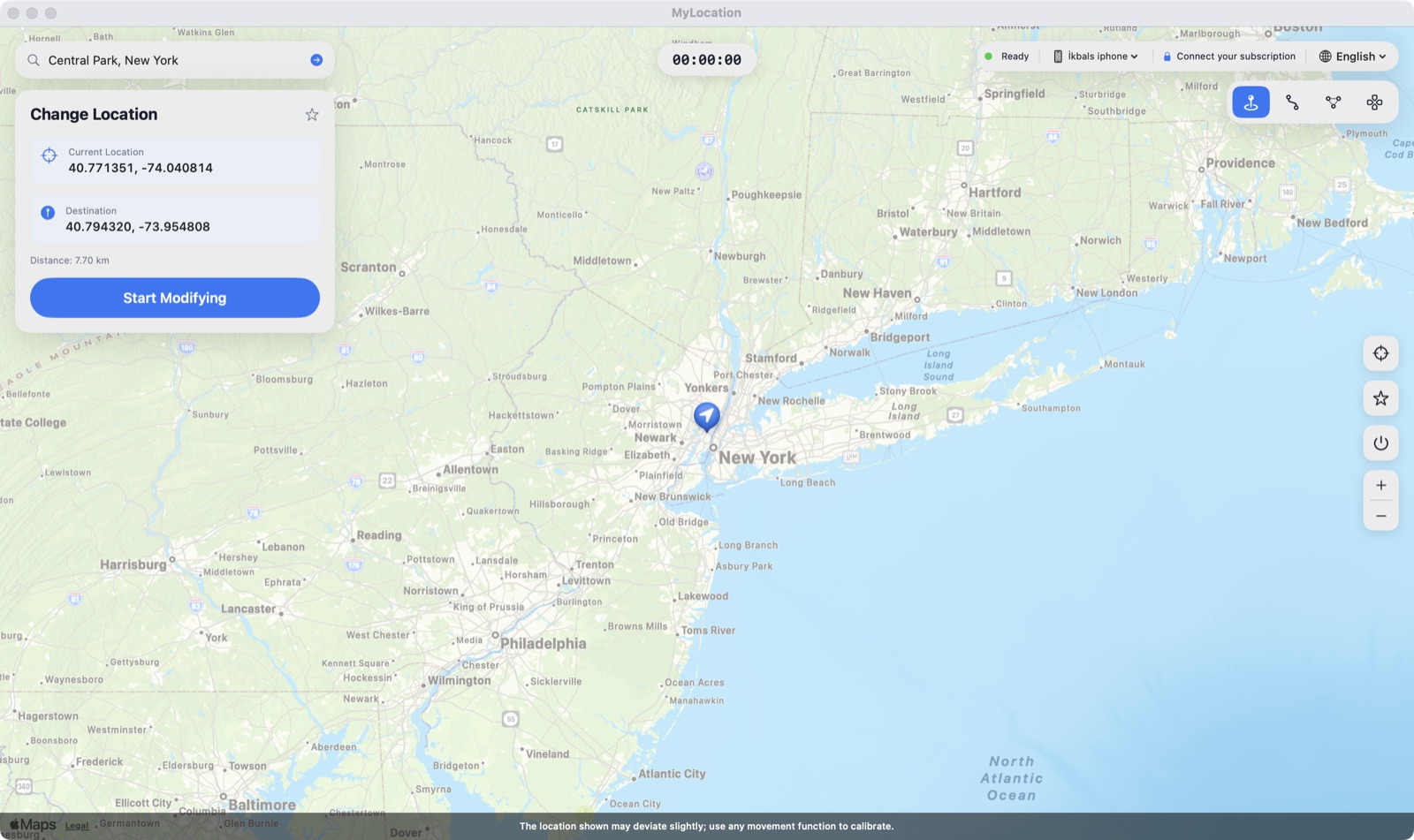
지도를 클릭하면 iPhone이 그곳에 있습니다.
장소를 검색하거나 위도 / 경도를 입력하세요.
자주 쓰는 지점을 저장해 두고 한 번에 돌아가세요.
중지하거나 케이블을 뽑거나 재시동하면 실제 GPS가 즉시 돌아옵니다.
연결하고 '신뢰'를 누르면 끝. 페어링 후에는 Wi-Fi로 이어질 수 있습니다.
휴대폰에 설치되는 것이 없고 프로파일도 루팅도 없습니다.
구매 이메일에 담긴 키로 활성화 — Apple ID도 계정도 필요 없습니다.
집과 사무실에서. Mac은 언제든 교체할 수 있습니다.
iOS에 기본 포함된 개발자용 위치 시뮬레이션입니다.
Developer ID로 서명되어 macOS가 경고 없이 실행합니다.
접근 권한을 캐시하고 며칠마다 온라인으로 확인합니다.
모든 업데이트가 라이선스에 포함됩니다.
처음에는 약 2분, 이후에는 몇 초면 됩니다.

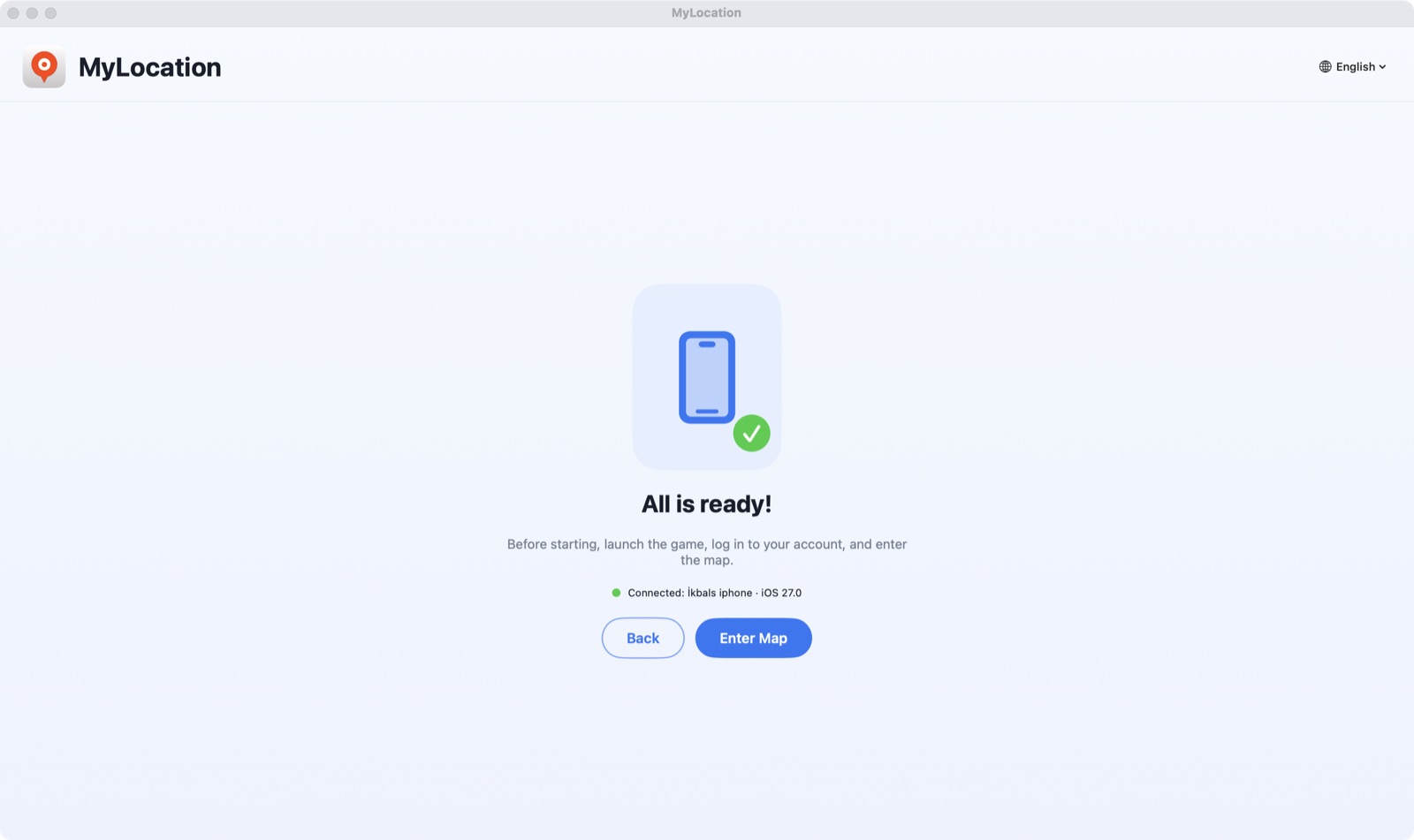
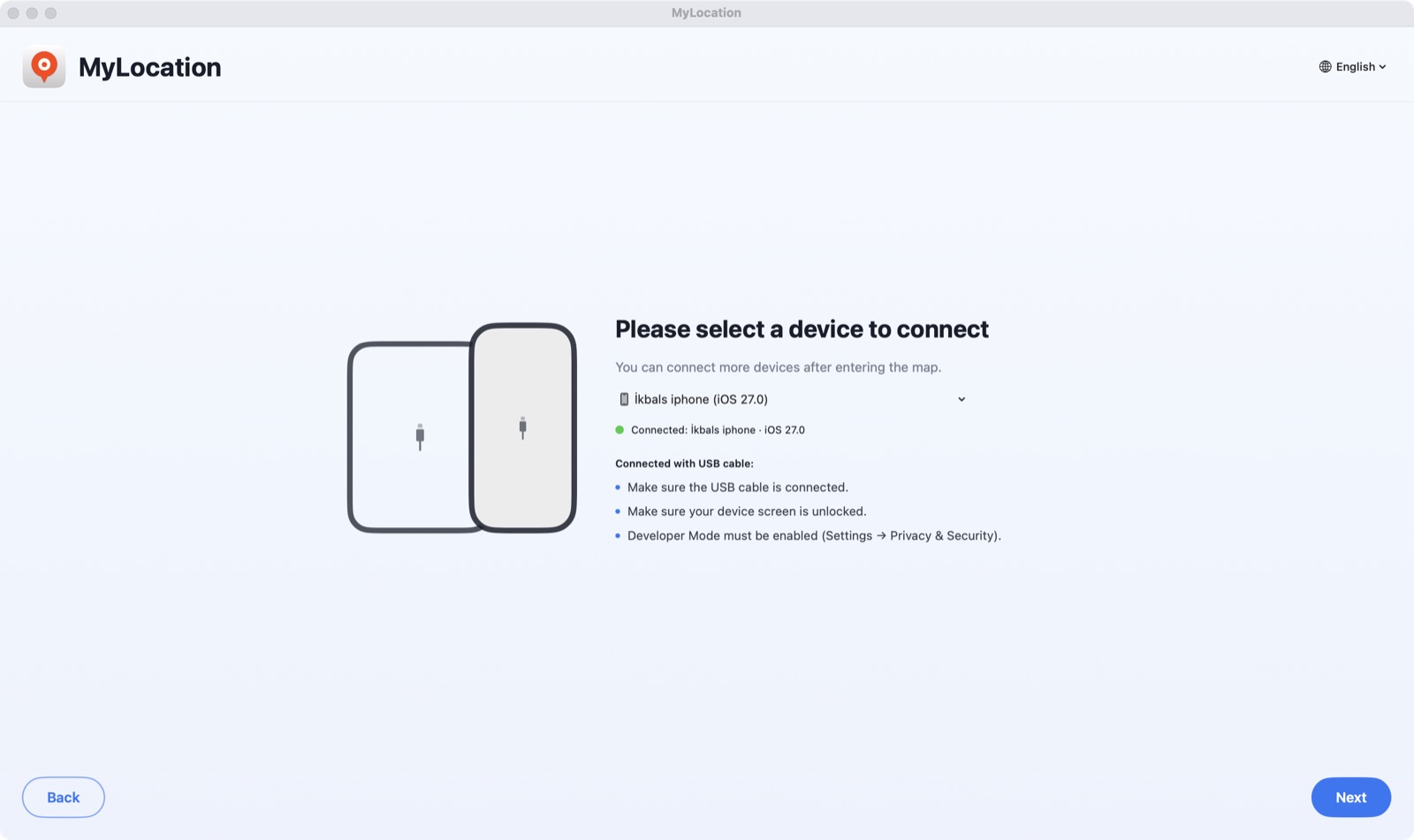
DMG를 열어 MyLocation을 응용 프로그램 폴더로 끌어다 놓으세요. 개발자 모드(iPhone) 또는 USB 디버깅(Android)을 켜고 휴대폰을 연결한 뒤 신뢰 / 허용을 누릅니다.

앱이 몇 초 만에 휴대폰을 찾습니다. Activate your licence를 클릭하고 구매 이메일의 키를 붙여넣으세요.

주소를 검색하거나 지도를 클릭한 뒤 Start Modifying을 누르세요. 이제 iPhone이 그 위치를 알립니다.
Apple은 개발자 모드가 켜져 있을 때만 연결된 컴퓨터의 위치 시뮬레이션을 허용합니다. 설정에 있는 공식 스위치로, 탈옥이 아니며 보증도 사라지지 않고 언제든 다시 끌 수 있습니다.
iOS 18부터 iOS 27까지 지원합니다. 단계별 문서: iPhone에서 개발자 모드 켜는 방법.
설정 → 개인정보 보호 및 보안 → 개발자 모드
Android에서는 시스템이 제공하는 테스트 위치 제공자를 ADB로 사용합니다. ADB는 Google이 개발자를 위해 제공하는 디버깅 브리지입니다. 루팅도, 모의 위치 앱 설치도 필요 없으며 중지하면 실제 GPS로 돌아갑니다.
설정 → 시스템 → 개발자 옵션 → USB 디버깅
adb 브리지를 포함해 필요한 것이 모두 앱에 들어 있습니다. 몇 초 안에 기기 목록에 휴대폰이 나타납니다.Android 12 이상. Samsung, Google Pixel, Xiaomi, OnePlus 등의 휴대폰과 태블릿에서 작동합니다. Android 위치 서비스를 사용하는 모든 앱이 시뮬레이션된 위치를 읽습니다.
다운로드 전에 확인하세요.
네. 세션이 켜져 있는 동안 iOS는 iPhone의 앱들에 시뮬레이션된 좌표를 알려줍니다. 하드웨어를 바꾸는 것이 아니라 시뮬레이션 계층이므로 세션을 중지하거나 케이블을 뽑거나 iPhone을 재시동하면 실제 GPS가 돌아옵니다.
네. USB 디버깅을 켜고 휴대폰을 연결하면 MyLocation이 Android의 개발자 브리지인 ADB를 통해 시스템 위치를 설정합니다. 루팅이나 모의 위치 앱은 필요 없습니다. Android 12 이상이 필요하며, 필요한 adb 도구는 앱에 내장되어 있습니다.
Apple과 Google 모두 시스템 전체의 위치 시뮬레이션은 휴대폰에 연결된 컴퓨터에만 허용합니다. Xcode와 Android Studio가 하는 방식과 같습니다. 탈옥, 루팅, VPN, 프로파일이 필요 없는 이유도 여기에 있습니다.
iPhone 설정 → 개인정보 보호 및 보안에 있는 스위치입니다. Apple이 개발자를 위해 제공하며, 켜도 iOS가 바뀌거나 보증이 사라지지 않고 언제든 다시 끌 수 있습니다.
라이선스를 구매하면 라이선스 키가 영수증 페이지에 표시되고 이메일로 전송됩니다. Mac 앱에 한 번 붙여넣으면 최대 2대의 Mac에서 사용할 수 있습니다. 계정을 만들 필요가 없으며 Mac은 Apple ID를 묻지 않습니다.
구매에 사용한 이메일 주소로 okbsoft@gmail.com에 보내주시면 다시 보내드립니다.
현재는 Apple 실리콘 Mac만 지원합니다. Intel과 Windows는 계획 중이니 필요하시면 알려주세요.
연간 라이선스는 이메일로 취소할 수 있으며 기간 종료까지 유효합니다. 구매 후 30일 이내에 작동하지 않으면 전액 환불합니다. 환불 정책을 참고하세요.