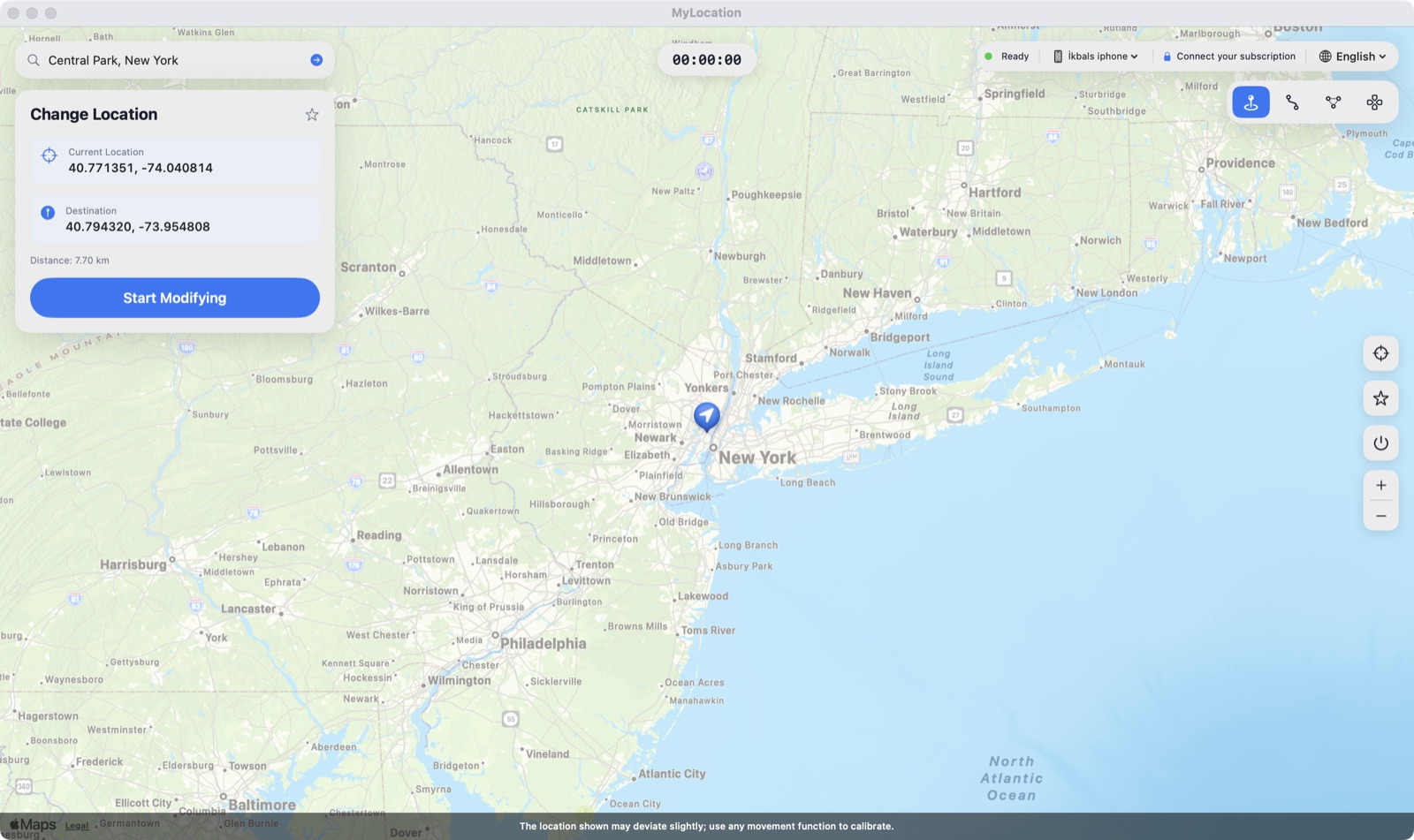
वह लोकेशन सेट करें जो आपका फ़ोन बताता है — टेस्टिंग, प्राइवेसी और यात्रा योजना के लिए। आप असल में कहाँ हैं, यह आपका रहता है।


ज़्यादातर "लोकेशन चेंजर" ऐप या तो सिर्फ़ अपने नक्शे में पिन हिलाते हैं या जेलब्रेक माँगते हैं। MyLocation iOS और Android में बने डेवलपर लोकेशन टूल — वही जो Xcode और Android Studio इस्तेमाल करते हैं — से फ़ोन के ऑपरेटिंग सिस्टम द्वारा बताई जाने वाली लोकेशन सेट करता है। बस एक Mac और एक केबल चाहिए: न जेलब्रेक, न रूट, फ़ोन पर कुछ इंस्टॉल नहीं।
ऐप, ट्रैकर और विज्ञापनदाता वही लोकेशन पढ़ते हैं जो आपका iPhone बताता है। सिम्युलेटेड लोकेशन चालू होने पर उन्हें वही जगह दिखती है जो आपने चुनी है, वह नहीं जहाँ आप सचमुच हैं।

जियोफ़ेंस, "मेरे आसपास" के नतीजे, क्षेत्र-विशेष सामग्री, डिलीवरी फ़्लो — डेस्क से उठे बिना असली iPhone पर जाँचें।

यात्रा से पहले शहर देख लें, दोस्तों के साथ "वर्चुअल" लोकेशन साझा करें, या देखें कि विदेश में कोई ऐप कैसे व्यवहार करता है।

How developers, testers and travellers use MyLocation for Mac, from fifteen countries.
I test a delivery app with geofenced pickup zones. Before MyLocation I drove around the block with a test phone. Now I drop a pin in Austin, then Denver, then Miami and watch every geofence trigger from my desk. Saved us days on the last release.
Xcode can simulate a location for the build I'm debugging, but not for the whole phone. This does it at the system level, so Maps, our app and even the weather widget all agree. Setup took five minutes with Developer Mode on.
We launch region-locked content. I set my iPhone to Osaka, Seoul and Singapore one after another and screenshot each variant for the review deck. No jailbreak, nothing installed on the phone. Exactly what I needed.
Finally something that works on Android without a mock-location app. USB debugging on, connect, pick a point, done. Our store locator bug only showed up in Lagos, and I reproduced it in two minutes.
I don't want every app knowing my street. During the workday my phone 'lives' in a park downtown. Real GPS comes back the moment I unplug. Simple, honest tool.
Planning a Lisbon trip, I set the location there and checked which restaurants, transit options and 'near me' results I'd actually see on arrival. Much better than guessing from a desktop browser.
The two-spot movement is great for testing turn-by-turn features. I walk a route at 5 km/h between two points and my app's arrival logic fires exactly as it should. Realistic speed, no teleport jumps.
Our onboarding changes by country. I switched between Paris, Montreal and Dakar on a real device and recorded every flow for the team. Licence key arrived instantly, worked on both my Macs.
Multi-spot routes let me replay a courier's day: warehouse, five stops, back. Our tracking dashboard finally gets tested with real motion instead of hand-edited coordinates.
I verify localized ads and store listings from Sydney while sitting in Melbourne. One click to restore my real location afterwards. Clean, no account, no subscription traps.
Used it to test geo-fenced push notifications. Set the phone inside the zone, outside the zone, back inside. The notification logs matched every move. Worth the licence on the first afternoon.
I was skeptical because other tools needed a jailbreak. This one uses Apple's own developer location feature. My iPhone stayed untouched, and the simulation ends when I disconnect.
Our technicians' app assigns jobs by proximity. I simulate a technician in Guadalajara and another in Monterrey from one desk and check the assignments. Support answered my question the same day.
Investor demo needed the app to 'be' in three cities. I rehearsed it with MyLocation, switching locations live on stage from my Mac. Zero surprises.
The joystick mode is my favorite for testing map pans and live-location sharing between two test phones. The position moves smoothly, with natural jitter, just like real walking.
I test a delivery app with geofenced pickup zones. Before MyLocation I drove around the block with a test phone. Now I drop a pin in Austin, then Denver, then Miami and watch every geofence trigger from my desk. Saved us days on the last release.
Xcode can simulate a location for the build I'm debugging, but not for the whole phone. This does it at the system level, so Maps, our app and even the weather widget all agree. Setup took five minutes with Developer Mode on.
We launch region-locked content. I set my iPhone to Osaka, Seoul and Singapore one after another and screenshot each variant for the review deck. No jailbreak, nothing installed on the phone. Exactly what I needed.
Finally something that works on Android without a mock-location app. USB debugging on, connect, pick a point, done. Our store locator bug only showed up in Lagos, and I reproduced it in two minutes.
I don't want every app knowing my street. During the workday my phone 'lives' in a park downtown. Real GPS comes back the moment I unplug. Simple, honest tool.
Planning a Lisbon trip, I set the location there and checked which restaurants, transit options and 'near me' results I'd actually see on arrival. Much better than guessing from a desktop browser.
The two-spot movement is great for testing turn-by-turn features. I walk a route at 5 km/h between two points and my app's arrival logic fires exactly as it should. Realistic speed, no teleport jumps.
Our onboarding changes by country. I switched between Paris, Montreal and Dakar on a real device and recorded every flow for the team. Licence key arrived instantly, worked on both my Macs.
Multi-spot routes let me replay a courier's day: warehouse, five stops, back. Our tracking dashboard finally gets tested with real motion instead of hand-edited coordinates.
I verify localized ads and store listings from Sydney while sitting in Melbourne. One click to restore my real location afterwards. Clean, no account, no subscription traps.
Used it to test geo-fenced push notifications. Set the phone inside the zone, outside the zone, back inside. The notification logs matched every move. Worth the licence on the first afternoon.
I was skeptical because other tools needed a jailbreak. This one uses Apple's own developer location feature. My iPhone stayed untouched, and the simulation ends when I disconnect.
Our technicians' app assigns jobs by proximity. I simulate a technician in Guadalajara and another in Monterrey from one desk and check the assignments. Support answered my question the same day.
Investor demo needed the app to 'be' in three cities. I rehearsed it with MyLocation, switching locations live on stage from my Mac. Zero surprises.
The joystick mode is my favorite for testing map pans and live-location sharing between two test phones. The position moves smoothly, with natural jitter, just like real walking.
कोई खाता नहीं बनाना, फ़ोन पर कुछ इंस्टॉल नहीं करना। लाइसेंस खरीदें, आपकी कुंजी रसीद पेज और ईमेल में दिखेगी — इसे Mac ऐप में पेस्ट करें। एक लाइसेंस अधिकतम दो Mac पर चलता है।
वार्षिक या लाइफ़टाइम। खरीदें पर क्लिक करें; Gumroad के ज़रिए सुरक्षित चेकआउट में लगभग एक मिनट लगता है (कार्ड, PayPal, Apple Pay)।
भुगतान के तुरंत बाद आपकी लाइसेंस कुंजी रसीद पेज पर दिखती है और डाउनलोड लिंक के साथ ईमेल भी की जाती है।
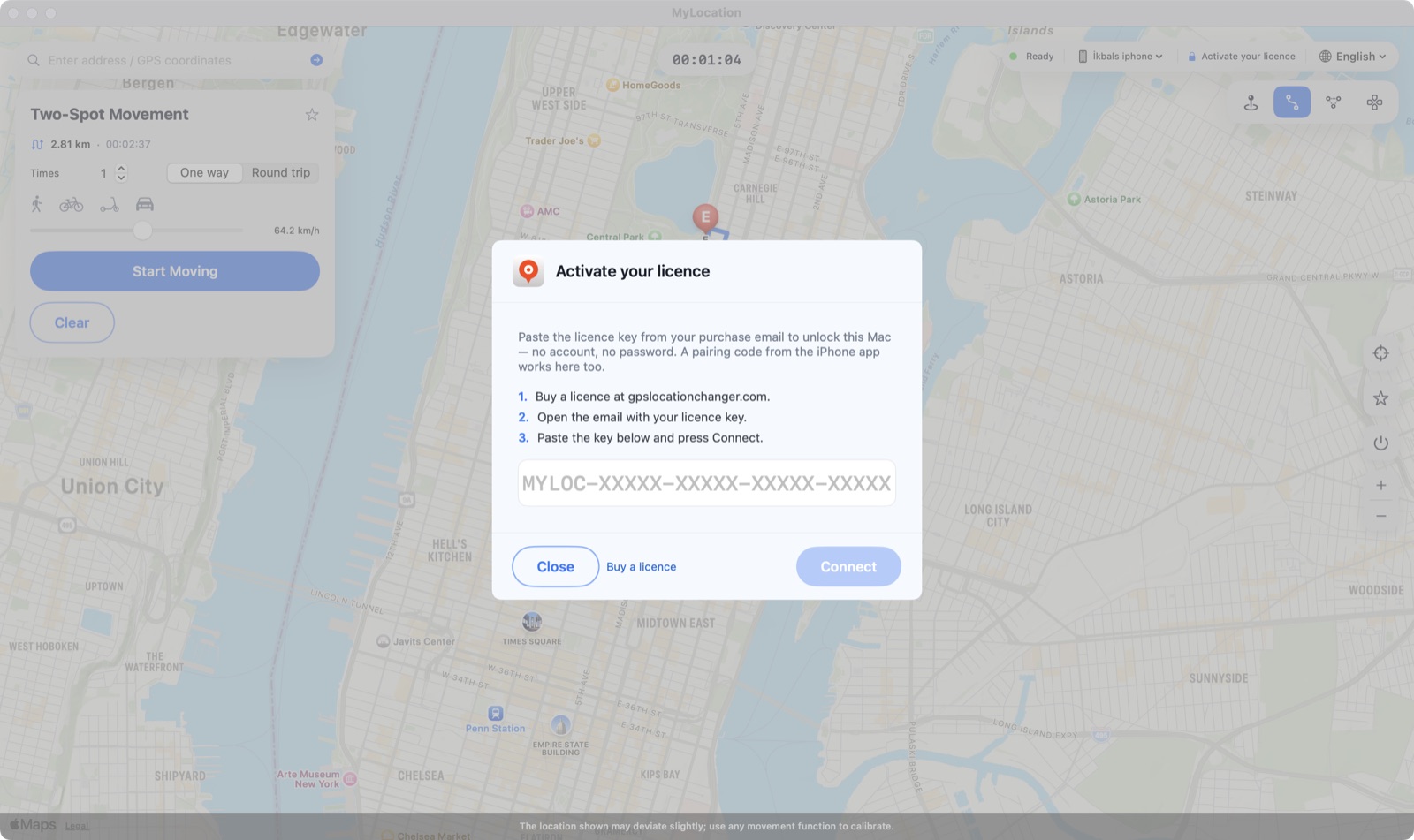
ऊपर की पट्टी में Activate your licence पर क्लिक करें, कुंजी चिपकाएँ और Connect दबाएँ। Mac हर कुछ दिन में जाँच करता है और बीच में ऑफ़लाइन भी चलता है।

MyLocation अपने नक्शे में पिन नहीं हिलाता। यह Apple और Google द्वारा डेवलपरों को दी गई लोकेशन-सिम्युलेशन सुविधाओं — वही जो Xcode और Android Studio इस्तेमाल करते हैं — का उपयोग करता है, जिससे ऑपरेटिंग सिस्टम द्वारा बताई जाने वाली लोकेशन बदलती है और हर ऐप उसे सामान्य Location Services API से पढ़ता है।

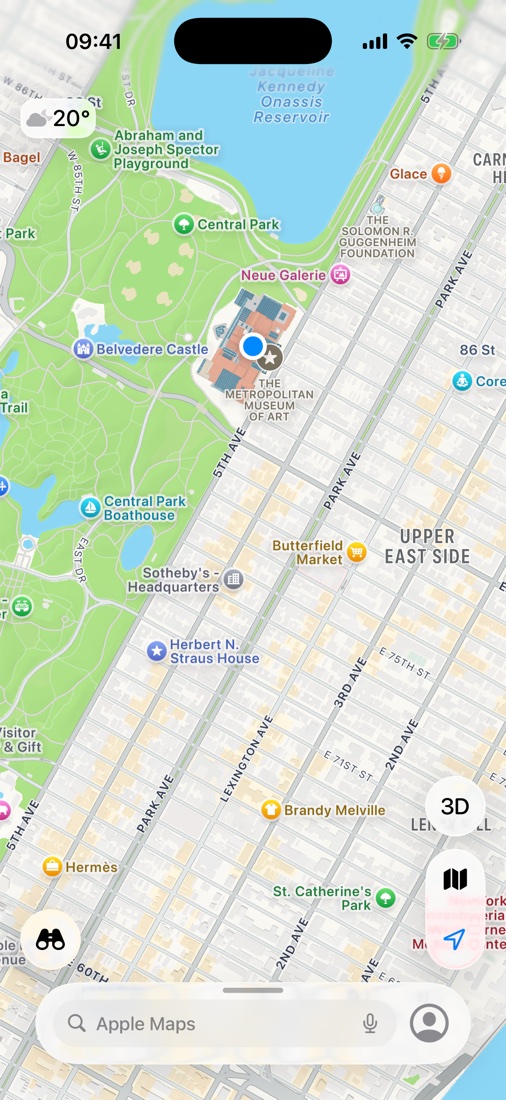
Mac पर न्यूयॉर्क का The Met चुनने के तुरंत बाद iPhone पर Maps। नीला बिंदु वह लोकेशन है जो iOS हर ऐप को बताता है।
कुछ ऐप और सेवाएँ अपनी सेवा-शर्तों में आपकी असली लोकेशन माँगती हैं। MyLocation डेवलपमेंट, टेस्टिंग, प्राइवेसी और यात्रा योजना के लिए है; आप जिन ऐप का उपयोग करते हैं उनकी शर्तों का पालन आपकी ज़िम्मेदारी है।
एक काम को ठीक से करने वाला सीधा-सादा टूल।
नक्शे पर क्लिक कीजिए, iPhone वहीं पहुँच जाता है।
कोई जगह खोजें या अक्षांश / देशांतर लिखें।
जिन जगहों का अक्सर उपयोग करते हैं उन्हें सहेजें और एक क्लिक में लौटें।
रोकें, केबल निकालें या रीस्टार्ट करें — असली GPS तुरंत लौट आता है।
जोड़िए, Trust दबाइए, हो गया। पेयरिंग के बाद Wi-Fi पर भी चल सकता है।
फ़ोन पर कुछ इंस्टॉल नहीं होता, न प्रोफ़ाइल, न रूट।
खरीद वाले ईमेल की कुंजी से सक्रिय करें — न Apple ID, न अकाउंट।
घर और दफ़्तर। Mac कभी भी बदल सकते हैं।
iOS के साथ आने वाला डेवलपर लोकेशन सिमुलेशन।
Developer ID से हस्ताक्षरित; macOS बिना चेतावनी के खोल देता है।
एक्सेस कैश रहता है; कुछ दिनों में ऑनलाइन जाँच।
सभी अपडेट आपके लाइसेंस में शामिल हैं।
पहली बार लगभग दो मिनट, उसके बाद कुछ सेकंड।

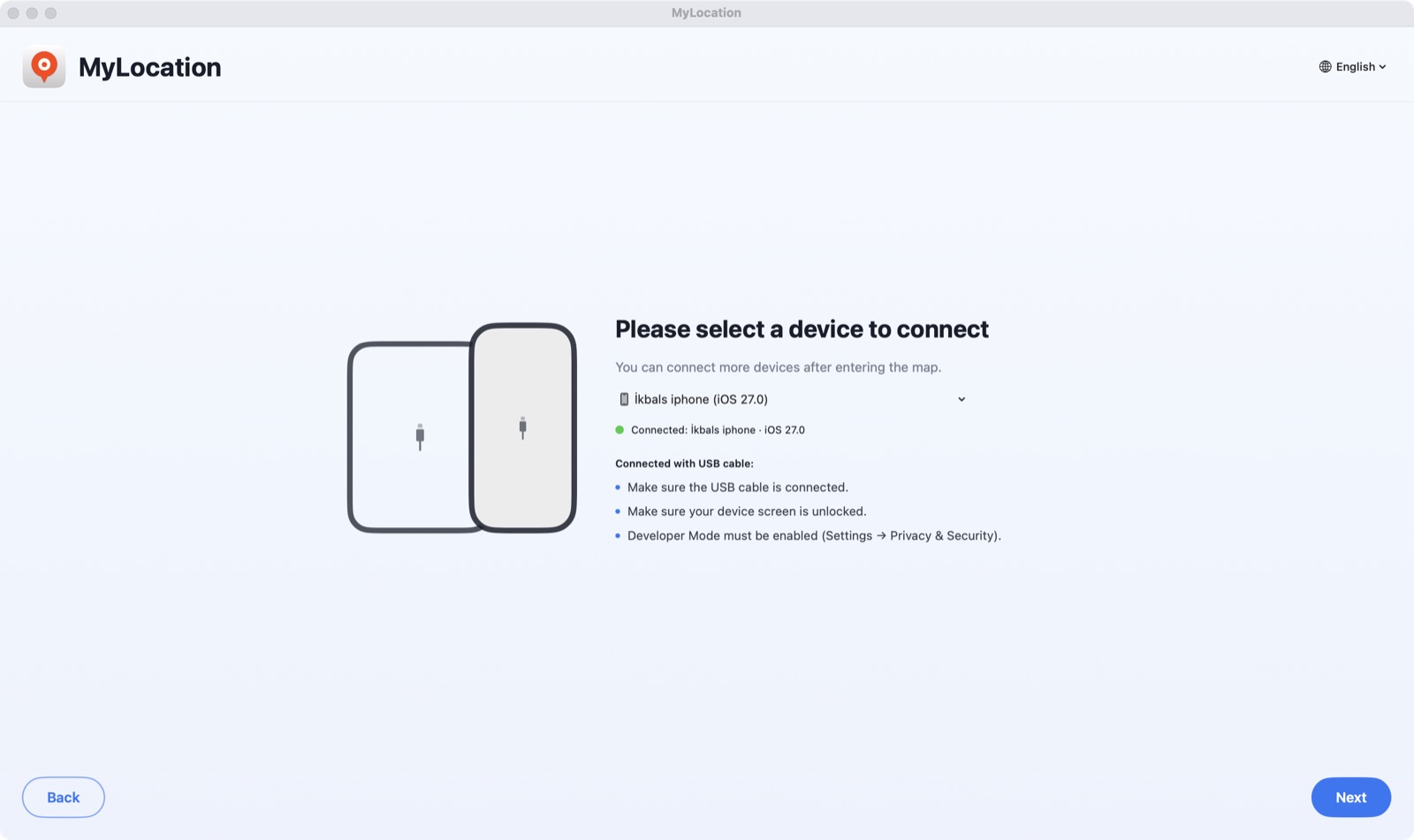
DMG खोलें, MyLocation को Applications में खींचें। फ़ोन पर डेवलपर मोड (iPhone) या USB डीबगिंग (Android) चालू करें, फ़ोन जोड़ें और Trust / Allow दबाएँ।

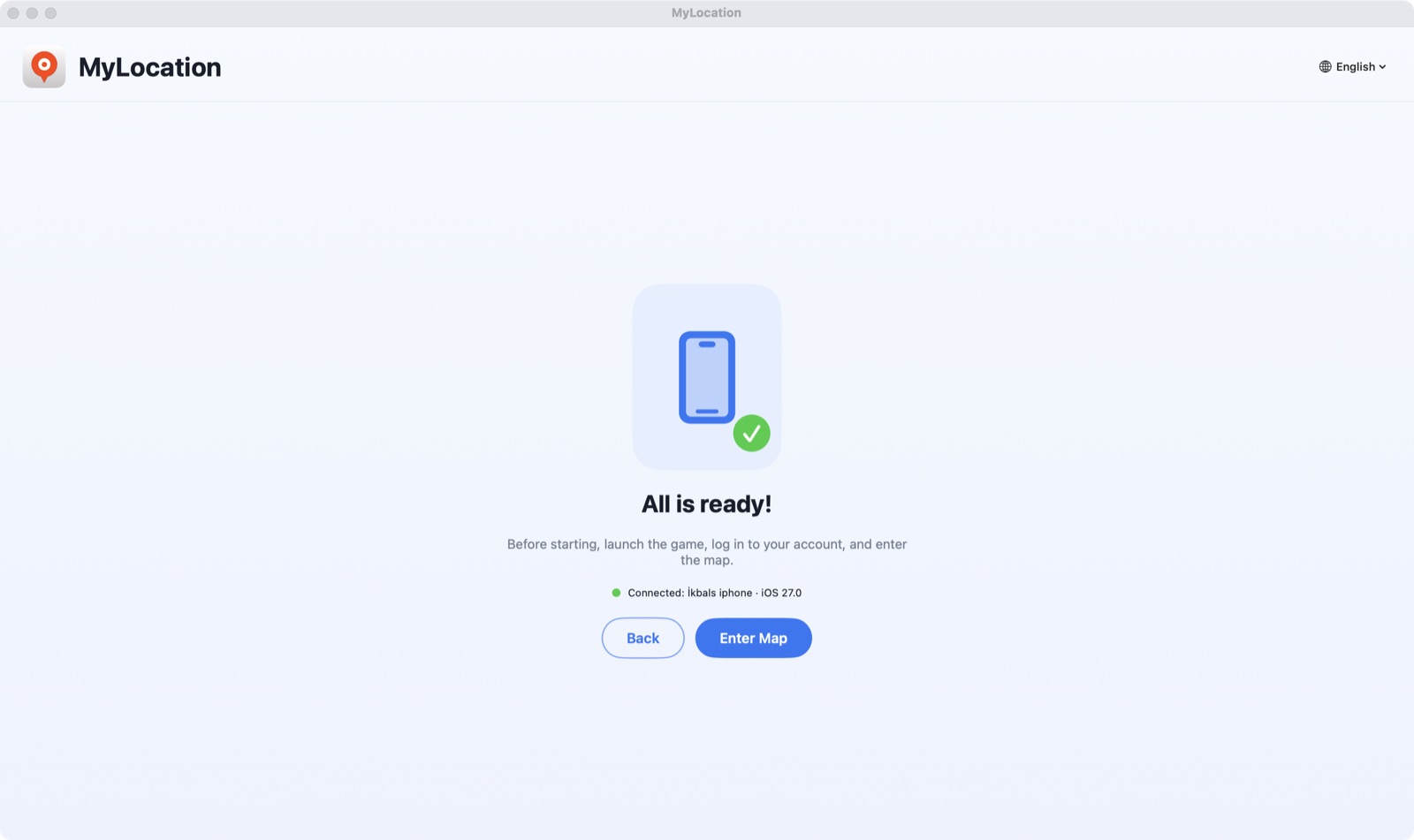
ऐप कुछ ही सेकंड में आपका फ़ोन ढूँढ़ लेता है। Activate your licence पर क्लिक करें और खरीद वाले ईमेल की कुंजी चिपकाएँ।

पता खोजें या नक्शे पर क्लिक करें, फिर Start Modifying दबाएँ। अब आपका iPhone वही लोकेशन बताएगा।
Apple जुड़े हुए कंप्यूटर को लोकेशन सिमुलेट करने की अनुमति तभी देता है जब डेवलपर मोड चालू हो। यह Settings में मौजूद एक आधिकारिक स्विच है: इससे फ़ोन जेलब्रेक नहीं होता, वारंटी नहीं जाती, और आप इसे कभी भी बंद कर सकते हैं।
iOS 18 से iOS 27 तक चलता है। चरण-दर-चरण लेख: iPhone पर डेवलपर मोड कैसे चालू करें।
Settings → Privacy & Security → Developer Mode
Android पर ऐप सिस्टम के अपने टेस्ट-लोकेशन प्रोवाइडर को ADB के ज़रिए इस्तेमाल करता है — ADB वह डीबगिंग ब्रिज है जो Google डेवलपर्स को देता है। न रूट चाहिए, न कोई मॉक-लोकेशन ऐप, और रोकते ही असली GPS लौट आता है।
Settings → System → डेवलपर विकल्प → USB डीबगिंग
adb ब्रिज भी। फ़ोन कुछ ही सेकंड में डिवाइस सूची में दिख जाता है।Android 12 या उसके बाद। Samsung, Google Pixel, Xiaomi, OnePlus और अन्य फ़ोन-टैबलेट पर चलता है। Android Location Services इस्तेमाल करने वाला हर ऐप सिम्युलेटेड लोकेशन पढ़ता है।
डाउनलोड से पहले यह देख लें।
ऐप मुफ़्त डाउनलोड है — भुगतान से पहले इंस्टॉल करके देखें कि यह आपका फ़ोन पहचानता है। हर खरीद पर 30 दिन की मनी-बैक गारंटी। चेकआउट Gumroad सुरक्षित रूप से संभालता है; लाइसेंस कुंजी भुगतान के तुरंत बाद दिखती है।
हाँ। सत्र चालू रहने तक iOS आपके iPhone के ऐप को सिम्युलेटेड निर्देशांक बताता है। यह सिमुलेशन की एक परत है, हार्डवेयर का बदलाव नहीं — सत्र रोकिए, केबल निकालिए या iPhone रीस्टार्ट कीजिए, असली GPS लौट आता है।
हाँ। USB डीबगिंग चालू कीजिए, फ़ोन जोड़िए, और MyLocation Android के डेवलपर ब्रिज ADB के ज़रिए सिस्टम लोकेशन तय कर देता है। न रूट चाहिए, न मॉक-लोकेशन ऐप। Android 12 या उसके बाद का चाहिए; ज़रूरी adb टूल ऐप में ही शामिल है।
Apple और Google दोनों सिस्टम-स्तर का लोकेशन सिमुलेशन सिर्फ़ फ़ोन से जुड़े कंप्यूटर को देते हैं — ठीक वैसे जैसे Xcode और Android Studio करते हैं। इसीलिए जेलब्रेक, रूट, VPN या प्रोफ़ाइल की ज़रूरत नहीं पड़ती।
यह iPhone की Settings → Privacy & Security में मौजूद एक स्विच है। Apple इसे डेवलपर्स के लिए देता है; इसे चालू करने से iOS में बदलाव नहीं होता और वारंटी भी नहीं जाती, और आप इसे कभी भी बंद कर सकते हैं।
लाइसेंस खरीदें; लाइसेंस कुंजी रसीद पेज पर दिखती है और ईमेल से भेजी जाती है। Mac ऐप में एक बार पेस्ट करें; यह अधिकतम दो Mac पर चलता है। कोई खाता नहीं बनाना पड़ता और Mac कभी आपकी Apple ID नहीं माँगता।
जिस ईमेल पते से खरीदा था, उसी से okbsoft@gmail.com पर लिखिए, हम कुंजी दोबारा भेज देंगे।
फ़िलहाल सिर्फ़ Apple silicon वाले Mac। Intel और Windows योजना में हैं; ज़रूरत हो तो हमें लिखिए।
वार्षिक लाइसेंस हमें ईमेल करके रद्द किए जा सकते हैं; लाइसेंस अवधि के अंत तक सक्रिय रहता है। खरीद के 30 दिनों के भीतर काम न करे तो पूरा रिफ़ंड। रिफ़ंड नीति देखें।
Mac ऐप डाउनलोड करें, लाइसेंस लें, कुंजी पेस्ट करें। दो मिनट।