Imposta la posizione che il tuo telefono riporta — per test, privacy e pianificazione di viaggi. Dove sei davvero resta affar tuo.


La maggior parte delle app "cambia posizione" sposta solo un segnaposto nella propria mappa o richiede il jailbreak. MyLocation imposta la posizione riportata dal sistema operativo del telefono, usando gli strumenti di posizione per sviluppatori integrati in iOS e Android — gli stessi di Xcode e Android Studio. Servono solo un Mac e un cavo: niente jailbreak, niente root, nulla installato sul telefono.
App, tracker e inserzionisti leggono la posizione comunicata dal tuo iPhone. Con una posizione simulata attiva vedono il punto che hai scelto, non quello in cui ti trovi davvero.

Geofence, risultati „vicino a me“, contenuti regionali, flussi di consegna: verifica tutto su un iPhone vero senza alzarti dalla scrivania.

Esplora una città prima di partire, condividi una posizione „virtuale“ con gli amici o verifica come si comporta un'app all'estero.

How developers, testers and travellers use MyLocation for Mac, from fifteen countries.
I test a delivery app with geofenced pickup zones. Before MyLocation I drove around the block with a test phone. Now I drop a pin in Austin, then Denver, then Miami and watch every geofence trigger from my desk. Saved us days on the last release.
Xcode can simulate a location for the build I'm debugging, but not for the whole phone. This does it at the system level, so Maps, our app and even the weather widget all agree. Setup took five minutes with Developer Mode on.
We launch region-locked content. I set my iPhone to Osaka, Seoul and Singapore one after another and screenshot each variant for the review deck. No jailbreak, nothing installed on the phone. Exactly what I needed.
Finally something that works on Android without a mock-location app. USB debugging on, connect, pick a point, done. Our store locator bug only showed up in Lagos, and I reproduced it in two minutes.
I don't want every app knowing my street. During the workday my phone 'lives' in a park downtown. Real GPS comes back the moment I unplug. Simple, honest tool.
Planning a Lisbon trip, I set the location there and checked which restaurants, transit options and 'near me' results I'd actually see on arrival. Much better than guessing from a desktop browser.
The two-spot movement is great for testing turn-by-turn features. I walk a route at 5 km/h between two points and my app's arrival logic fires exactly as it should. Realistic speed, no teleport jumps.
Our onboarding changes by country. I switched between Paris, Montreal and Dakar on a real device and recorded every flow for the team. Licence key arrived instantly, worked on both my Macs.
Multi-spot routes let me replay a courier's day: warehouse, five stops, back. Our tracking dashboard finally gets tested with real motion instead of hand-edited coordinates.
I verify localized ads and store listings from Sydney while sitting in Melbourne. One click to restore my real location afterwards. Clean, no account, no subscription traps.
Used it to test geo-fenced push notifications. Set the phone inside the zone, outside the zone, back inside. The notification logs matched every move. Worth the licence on the first afternoon.
I was skeptical because other tools needed a jailbreak. This one uses Apple's own developer location feature. My iPhone stayed untouched, and the simulation ends when I disconnect.
Our technicians' app assigns jobs by proximity. I simulate a technician in Guadalajara and another in Monterrey from one desk and check the assignments. Support answered my question the same day.
Investor demo needed the app to 'be' in three cities. I rehearsed it with MyLocation, switching locations live on stage from my Mac. Zero surprises.
The joystick mode is my favorite for testing map pans and live-location sharing between two test phones. The position moves smoothly, with natural jitter, just like real walking.
I test a delivery app with geofenced pickup zones. Before MyLocation I drove around the block with a test phone. Now I drop a pin in Austin, then Denver, then Miami and watch every geofence trigger from my desk. Saved us days on the last release.
Xcode can simulate a location for the build I'm debugging, but not for the whole phone. This does it at the system level, so Maps, our app and even the weather widget all agree. Setup took five minutes with Developer Mode on.
We launch region-locked content. I set my iPhone to Osaka, Seoul and Singapore one after another and screenshot each variant for the review deck. No jailbreak, nothing installed on the phone. Exactly what I needed.
Finally something that works on Android without a mock-location app. USB debugging on, connect, pick a point, done. Our store locator bug only showed up in Lagos, and I reproduced it in two minutes.
I don't want every app knowing my street. During the workday my phone 'lives' in a park downtown. Real GPS comes back the moment I unplug. Simple, honest tool.
Planning a Lisbon trip, I set the location there and checked which restaurants, transit options and 'near me' results I'd actually see on arrival. Much better than guessing from a desktop browser.
The two-spot movement is great for testing turn-by-turn features. I walk a route at 5 km/h between two points and my app's arrival logic fires exactly as it should. Realistic speed, no teleport jumps.
Our onboarding changes by country. I switched between Paris, Montreal and Dakar on a real device and recorded every flow for the team. Licence key arrived instantly, worked on both my Macs.
Multi-spot routes let me replay a courier's day: warehouse, five stops, back. Our tracking dashboard finally gets tested with real motion instead of hand-edited coordinates.
I verify localized ads and store listings from Sydney while sitting in Melbourne. One click to restore my real location afterwards. Clean, no account, no subscription traps.
Used it to test geo-fenced push notifications. Set the phone inside the zone, outside the zone, back inside. The notification logs matched every move. Worth the licence on the first afternoon.
I was skeptical because other tools needed a jailbreak. This one uses Apple's own developer location feature. My iPhone stayed untouched, and the simulation ends when I disconnect.
Our technicians' app assigns jobs by proximity. I simulate a technician in Guadalajara and another in Monterrey from one desk and check the assignments. Support answered my question the same day.
Investor demo needed the app to 'be' in three cities. I rehearsed it with MyLocation, switching locations live on stage from my Mac. Zero surprises.
The joystick mode is my favorite for testing map pans and live-location sharing between two test phones. The position moves smoothly, with natural jitter, just like real walking.
Nessun account da creare e niente da installare sul telefono. Acquista una licenza: la chiave compare nella pagina della ricevuta e nella tua email – incollala nell'app per Mac. Una licenza vale per un massimo di due Mac.
Annuale o A vita. Clicca Acquista; il checkout sicuro tramite Gumroad richiede circa un minuto (carta, PayPal, Apple Pay).
La chiave di licenza viene mostrata nella pagina della ricevuta subito dopo il pagamento e inviata via email insieme al link di download.
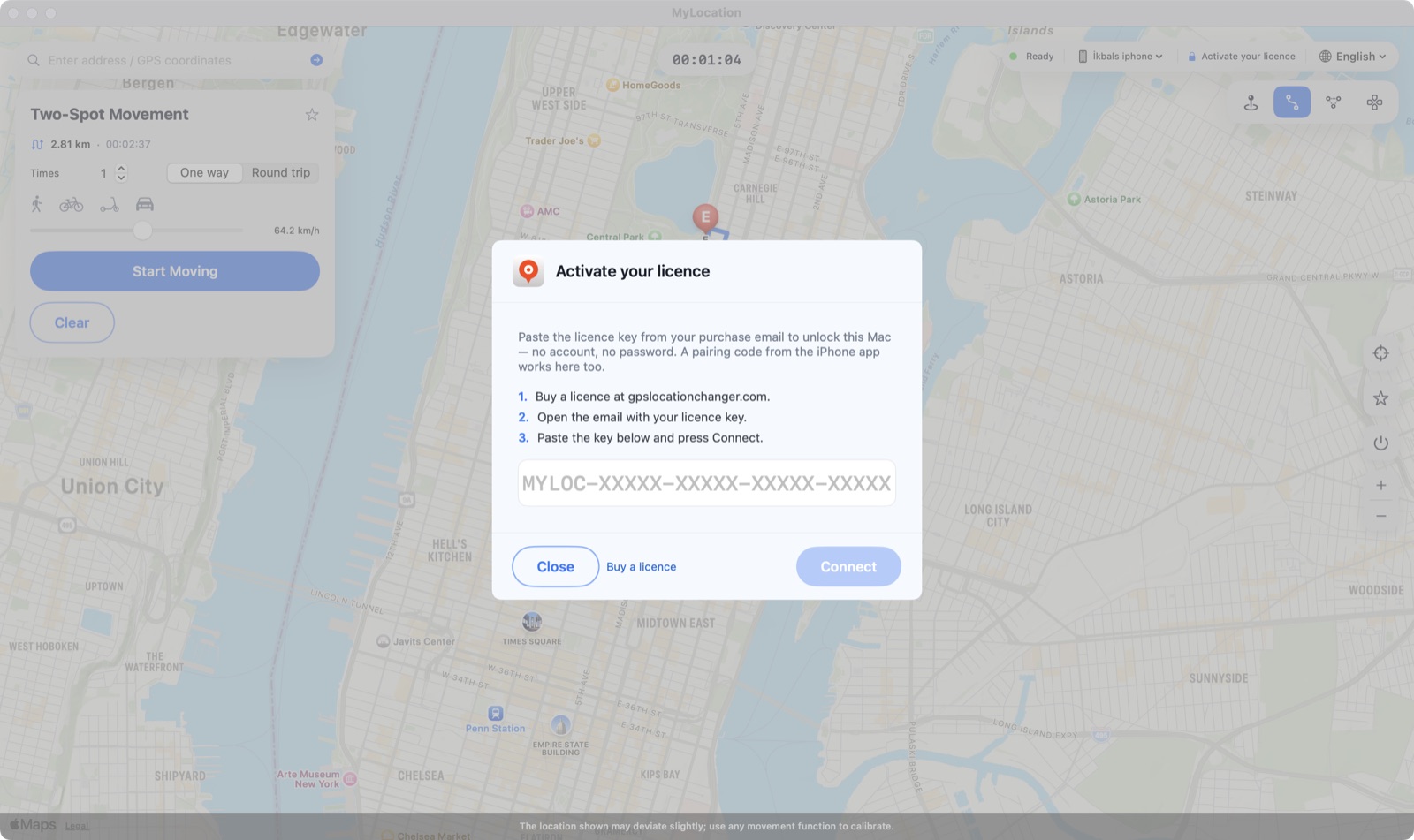
Fai clic su Activate your licence nella barra in alto, incolla la chiave e premi Connect. Il Mac ricontrolla ogni pochi giorni e nel frattempo funziona offline.

MyLocation non sposta un segnaposto nella propria mappa. Usa le funzioni di simulazione della posizione che Apple e Google offrono agli sviluppatori — le stesse di Xcode e Android Studio —, così cambia la posizione riportata dal sistema operativo e ogni app la legge tramite la normale API dei servizi di localizzazione.

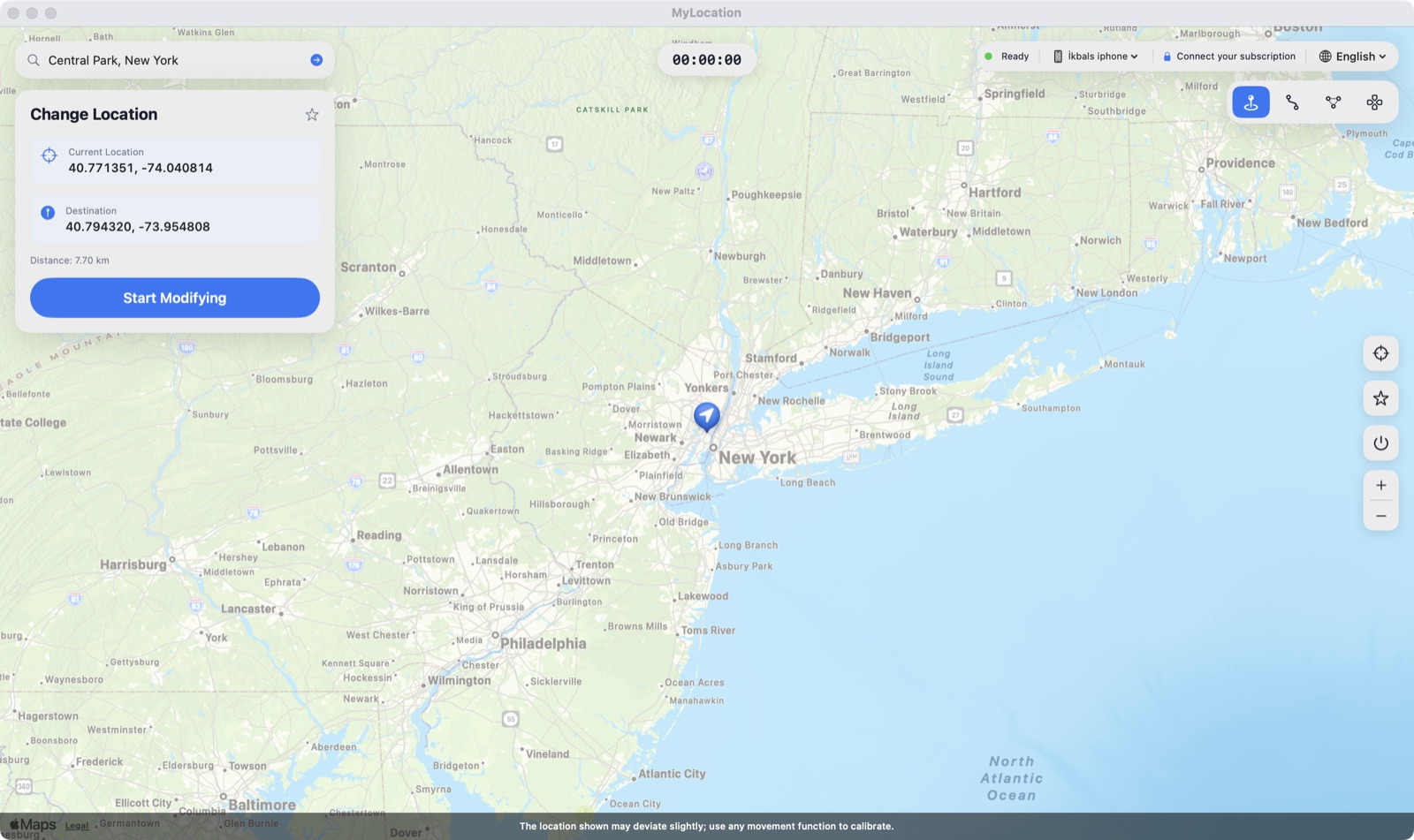
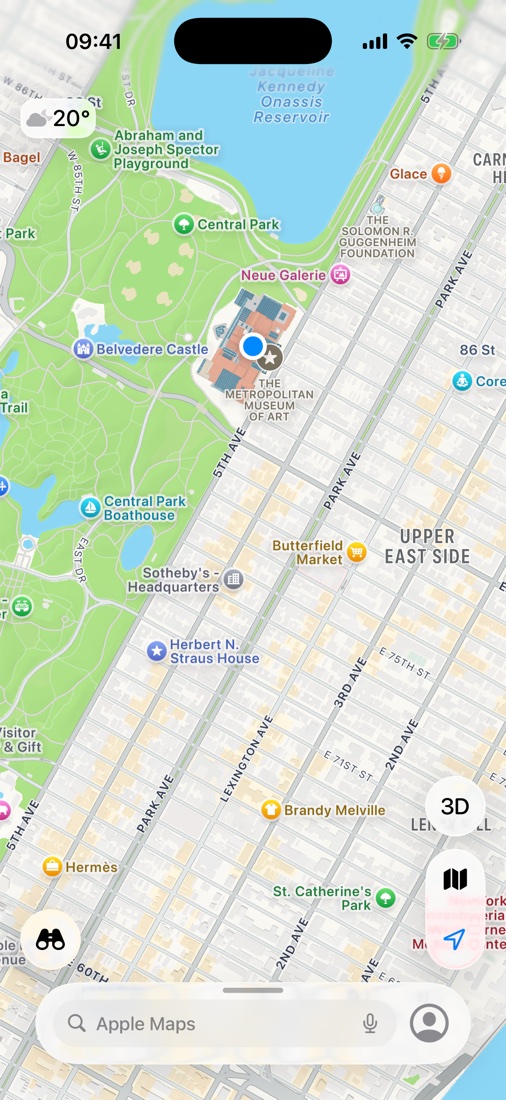
Mappe su iPhone un attimo dopo aver scelto il Met di New York sul Mac. Il punto blu è la posizione che iOS riporta a ogni app.
Alcune app e servizi richiedono la tua posizione reale nei loro termini di servizio. MyLocation è pensato per sviluppo, test, privacy e pianificazione di viaggi; rispettare i termini delle app che usi è tua responsabilità.
Uno strumento essenziale che fa bene una cosa sola.
Fai clic sulla mappa e l'iPhone è lì.
Cerca un luogo o digita latitudine / longitudine.
Salva i punti che usi spesso e tornaci con un clic.
Interrompi, scollega o riavvia: il GPS reale torna all'istante.
Collega, tocca Autorizza, fatto. Dopo l'abbinamento può proseguire via Wi-Fi.
Sul telefono non si installa nulla: nessun profilo, nessun root.
Attiva con la chiave ricevuta via e-mail: nessun ID Apple, nessun account.
Casa e ufficio. Cambia Mac quando vuoi.
La simulazione di posizione per sviluppatori inclusa in iOS.
Firmata con Developer ID; macOS la apre senza avvisi.
L'accesso è in cache; verifica online ogni pochi giorni.
Tutti gli aggiornamenti sono inclusi nella licenza.
Circa due minuti la prima volta, pochi secondi dopo.

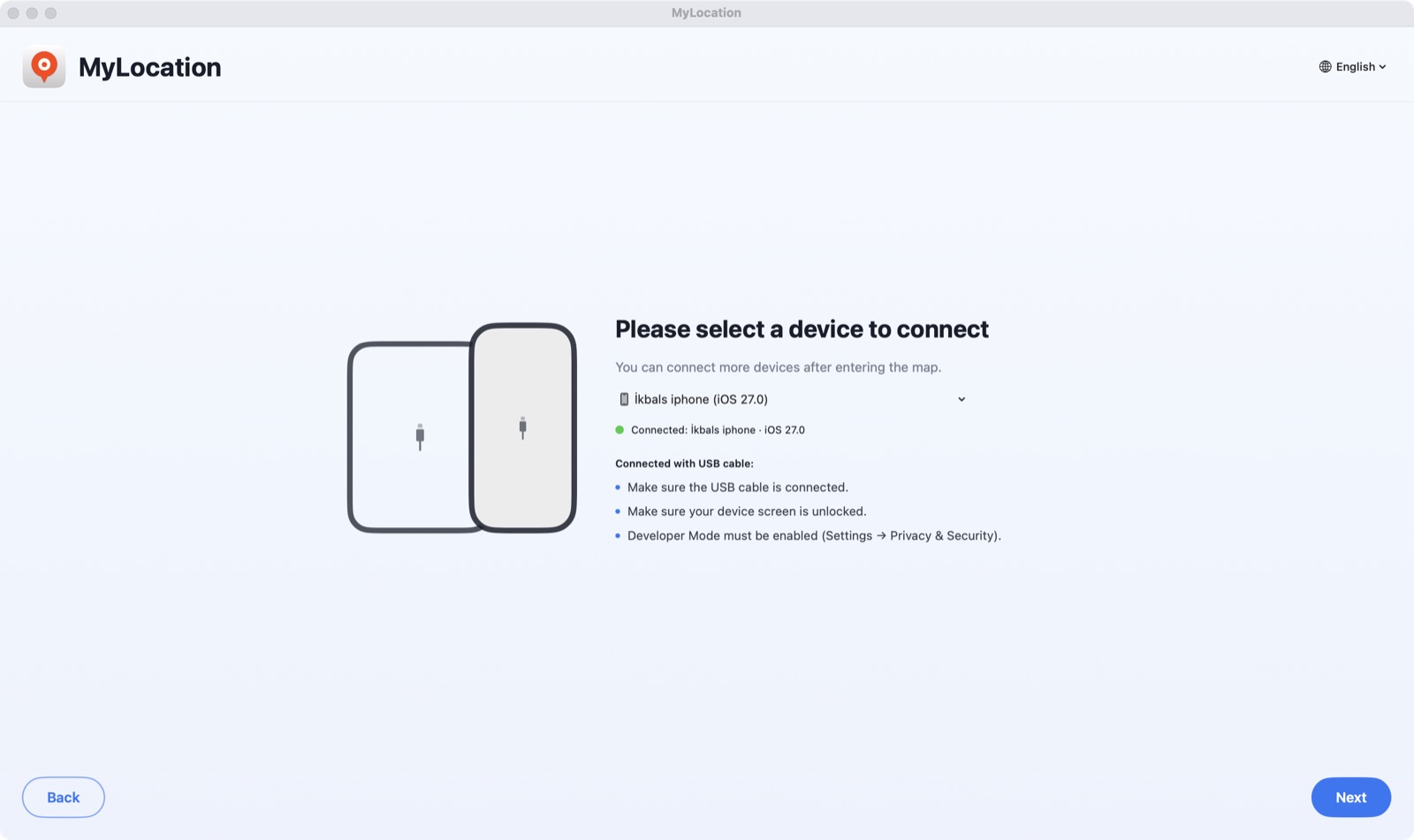
Apri il DMG e trascina MyLocation in Applicazioni. Attiva la Modalità sviluppatore (iPhone) o il debug USB (Android), collega il telefono e tocca Autorizza / Consenti.

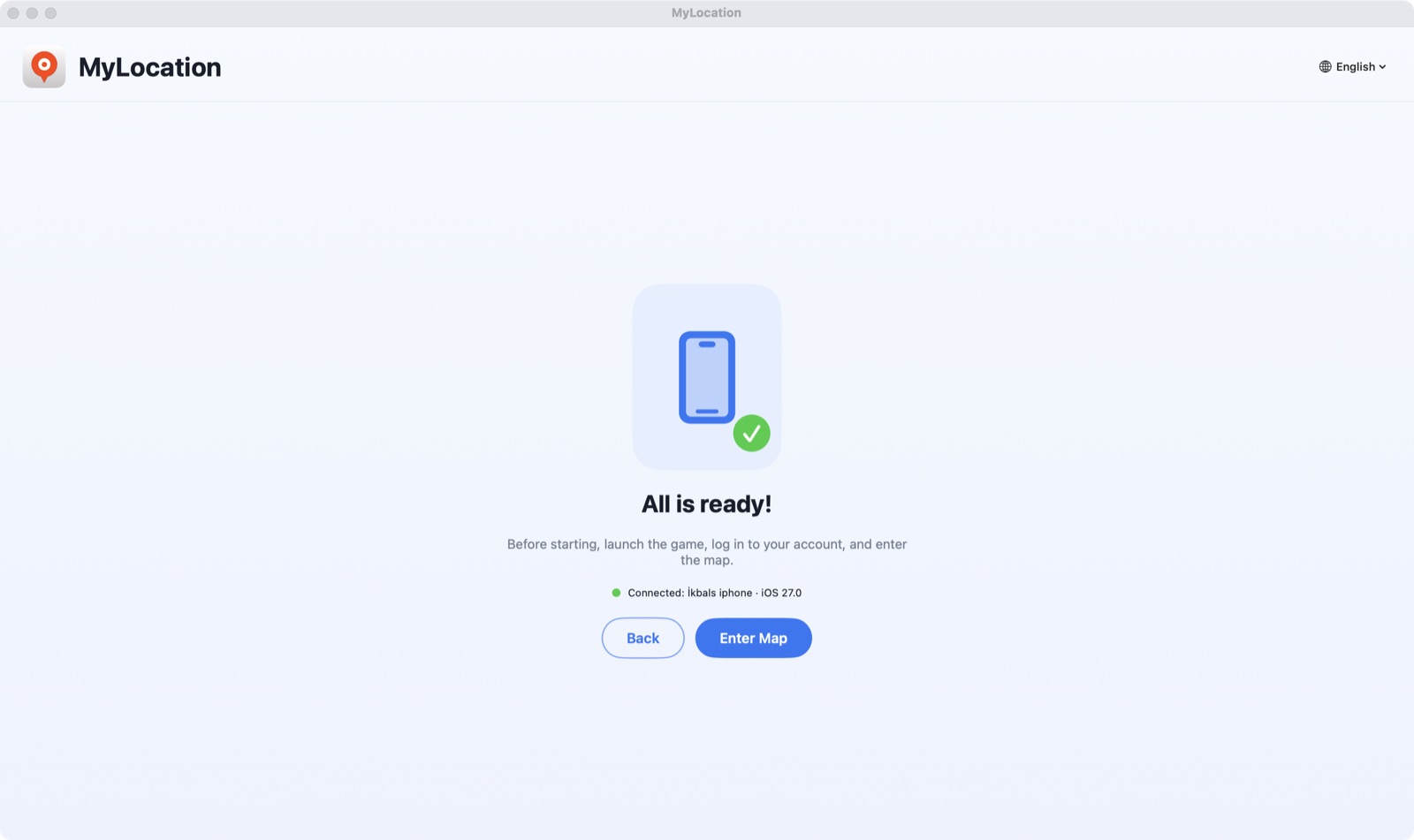
L'app trova il telefono in pochi secondi. Fai clic su Activate your licence e incolla la chiave ricevuta via e-mail.

Cerca un indirizzo o fai clic sulla mappa, poi premi Start Modifying. Il tuo iPhone ora comunica quella posizione.
Apple consente a un computer collegato di simulare la posizione solo con la Modalità sviluppatore attiva. È un interruttore ufficiale in Impostazioni: non esegue il jailbreak, non invalida la garanzia e puoi disattivarlo quando vuoi.
Funziona da iOS 18 a iOS 27. Articolo passo passo: come attivare la Modalità sviluppatore su iPhone.
Impostazioni → Privacy e sicurezza → Modalità sviluppatore
Su Android l'app usa il provider di posizione di test del sistema tramite ADB, il ponte di debug che Google fornisce agli sviluppatori. Niente root, nessuna app di posizione fittizia da installare e, quando interrompi, torna il GPS reale.
Impostazioni → Sistema → Opzioni sviluppatore → Debug USB
adb di Google. Il telefono compare nell'elenco dispositivi in pochi secondi.Android 12 o successivo. Funziona con telefoni e tablet Samsung, Google Pixel, Xiaomi, OnePlus e altri. Qualsiasi app che usa i servizi di localizzazione di Android legge la posizione simulata.
Controlla questi requisiti prima di scaricare.
L'app è un download gratuito: installala e verifica che trovi il tuo telefono prima di pagare. Ogni acquisto ha una garanzia di rimborso di 30 giorni. Il checkout è gestito in sicurezza da Gumroad; la chiave di licenza viene mostrata subito dopo il pagamento.
Sì. Mentre la sessione è attiva, iOS comunica alle app del tuo iPhone le coordinate simulate. È un livello di simulazione, non una modifica hardware: interrompi la sessione, scollega o riavvia l'iPhone e il GPS reale torna.
Sì. Attiva il debug USB, collega il telefono e MyLocation imposta la posizione di sistema tramite ADB, il ponte per sviluppatori di Android. Non servono root né app di posizione fittizia. Serve Android 12 o successivo; lo strumento adb necessario è incluso nell'app.
Sia Apple sia Google espongono la simulazione della posizione a livello di sistema solo a un computer collegato al telefono, come fanno Xcode e Android Studio. È anche il motivo per cui non servono jailbreak, root, VPN o profili.
È un interruttore in Impostazioni → Privacy e sicurezza dell'iPhone. Apple lo mette a disposizione degli sviluppatori: attivarlo non modifica iOS né invalida la garanzia, e puoi disattivarlo quando vuoi.
Acquista una licenza: la chiave viene mostrata nella pagina della ricevuta e inviata via email. Incollala una volta nell'app per Mac; vale per un massimo di due Mac. Nessun account da creare e il Mac non chiede mai il tuo ID Apple.
Scrivi a okbsoft@gmail.com dall'indirizzo e-mail usato per l'acquisto e te la inviamo di nuovo.
Al momento solo Mac con Apple silicon. Intel e Windows sono in programma: scrivici se ti servono.
Le licenze annuali si possono disdire scrivendoci; la licenza resta attiva fino alla fine del periodo. Entro 30 giorni dall'acquisto rimborsiamo per intero se non funziona per te. Vedi la politica di rimborso.
Scarica l'app per Mac, ottieni una licenza, incolla la chiave. Due minuti.