Set the location your phone reports — for testing, privacy and travel planning. Where you really are stays yours.


Most "location changer" apps either only move a pin inside their own map or need a jailbreak. MyLocation sets the location the phone's operating system reports, using the developer location tools built into iOS and Android — the same ones Xcode and Android Studio use. You need a Mac and a cable — no jailbreak, no root, nothing installed on the phone.
Apps, trackers and advertisers read the location your iPhone reports. With a simulated location active, they see the point you chose — not where you actually are.

Geofences, "near me" results, region-specific content, delivery flows — check them on an actual iPhone without leaving your desk.

Preview a city before you travel, share a "virtual" location with friends, or see how an app behaves abroad.

How developers, testers and travellers use MyLocation for Mac, from fifteen countries.
I test a delivery app with geofenced pickup zones. Before MyLocation I drove around the block with a test phone. Now I drop a pin in Austin, then Denver, then Miami and watch every geofence trigger from my desk. Saved us days on the last release.
Xcode can simulate a location for the build I'm debugging, but not for the whole phone. This does it at the system level, so Maps, our app and even the weather widget all agree. Setup took five minutes with Developer Mode on.
We launch region-locked content. I set my iPhone to Osaka, Seoul and Singapore one after another and screenshot each variant for the review deck. No jailbreak, nothing installed on the phone. Exactly what I needed.
Finally something that works on Android without a mock-location app. USB debugging on, connect, pick a point, done. Our store locator bug only showed up in Lagos, and I reproduced it in two minutes.
I don't want every app knowing my street. During the workday my phone 'lives' in a park downtown. Real GPS comes back the moment I unplug. Simple, honest tool.
Planning a Lisbon trip, I set the location there and checked which restaurants, transit options and 'near me' results I'd actually see on arrival. Much better than guessing from a desktop browser.
The two-spot movement is great for testing turn-by-turn features. I walk a route at 5 km/h between two points and my app's arrival logic fires exactly as it should. Realistic speed, no teleport jumps.
Our onboarding changes by country. I switched between Paris, Montreal and Dakar on a real device and recorded every flow for the team. Licence key arrived instantly, worked on both my Macs.
Multi-spot routes let me replay a courier's day: warehouse, five stops, back. Our tracking dashboard finally gets tested with real motion instead of hand-edited coordinates.
I verify localized ads and store listings from Sydney while sitting in Melbourne. One click to restore my real location afterwards. Clean, no account, no subscription traps.
Used it to test geo-fenced push notifications. Set the phone inside the zone, outside the zone, back inside. The notification logs matched every move. Worth the licence on the first afternoon.
I was skeptical because other tools needed a jailbreak. This one uses Apple's own developer location feature. My iPhone stayed untouched, and the simulation ends when I disconnect.
Our technicians' app assigns jobs by proximity. I simulate a technician in Guadalajara and another in Monterrey from one desk and check the assignments. Support answered my question the same day.
Investor demo needed the app to 'be' in three cities. I rehearsed it with MyLocation, switching locations live on stage from my Mac. Zero surprises.
The joystick mode is my favorite for testing map pans and live-location sharing between two test phones. The position moves smoothly, with natural jitter, just like real walking.
I test a delivery app with geofenced pickup zones. Before MyLocation I drove around the block with a test phone. Now I drop a pin in Austin, then Denver, then Miami and watch every geofence trigger from my desk. Saved us days on the last release.
Xcode can simulate a location for the build I'm debugging, but not for the whole phone. This does it at the system level, so Maps, our app and even the weather widget all agree. Setup took five minutes with Developer Mode on.
We launch region-locked content. I set my iPhone to Osaka, Seoul and Singapore one after another and screenshot each variant for the review deck. No jailbreak, nothing installed on the phone. Exactly what I needed.
Finally something that works on Android without a mock-location app. USB debugging on, connect, pick a point, done. Our store locator bug only showed up in Lagos, and I reproduced it in two minutes.
I don't want every app knowing my street. During the workday my phone 'lives' in a park downtown. Real GPS comes back the moment I unplug. Simple, honest tool.
Planning a Lisbon trip, I set the location there and checked which restaurants, transit options and 'near me' results I'd actually see on arrival. Much better than guessing from a desktop browser.
The two-spot movement is great for testing turn-by-turn features. I walk a route at 5 km/h between two points and my app's arrival logic fires exactly as it should. Realistic speed, no teleport jumps.
Our onboarding changes by country. I switched between Paris, Montreal and Dakar on a real device and recorded every flow for the team. Licence key arrived instantly, worked on both my Macs.
Multi-spot routes let me replay a courier's day: warehouse, five stops, back. Our tracking dashboard finally gets tested with real motion instead of hand-edited coordinates.
I verify localized ads and store listings from Sydney while sitting in Melbourne. One click to restore my real location afterwards. Clean, no account, no subscription traps.
Used it to test geo-fenced push notifications. Set the phone inside the zone, outside the zone, back inside. The notification logs matched every move. Worth the licence on the first afternoon.
I was skeptical because other tools needed a jailbreak. This one uses Apple's own developer location feature. My iPhone stayed untouched, and the simulation ends when I disconnect.
Our technicians' app assigns jobs by proximity. I simulate a technician in Guadalajara and another in Monterrey from one desk and check the assignments. Support answered my question the same day.
Investor demo needed the app to 'be' in three cities. I rehearsed it with MyLocation, switching locations live on stage from my Mac. Zero surprises.
The joystick mode is my favorite for testing map pans and live-location sharing between two test phones. The position moves smoothly, with natural jitter, just like real walking.
No account to create and nothing to install on the phone. Buy a licence, and your key appears on the receipt page and in your email — paste it into the Mac app. One licence works on up to two Macs.
Yearly or Lifetime. Click Buy; secure checkout by Gumroad takes about a minute (card, PayPal, Apple Pay).
Your licence key is shown on the receipt page right after payment and emailed to you together with the download link.
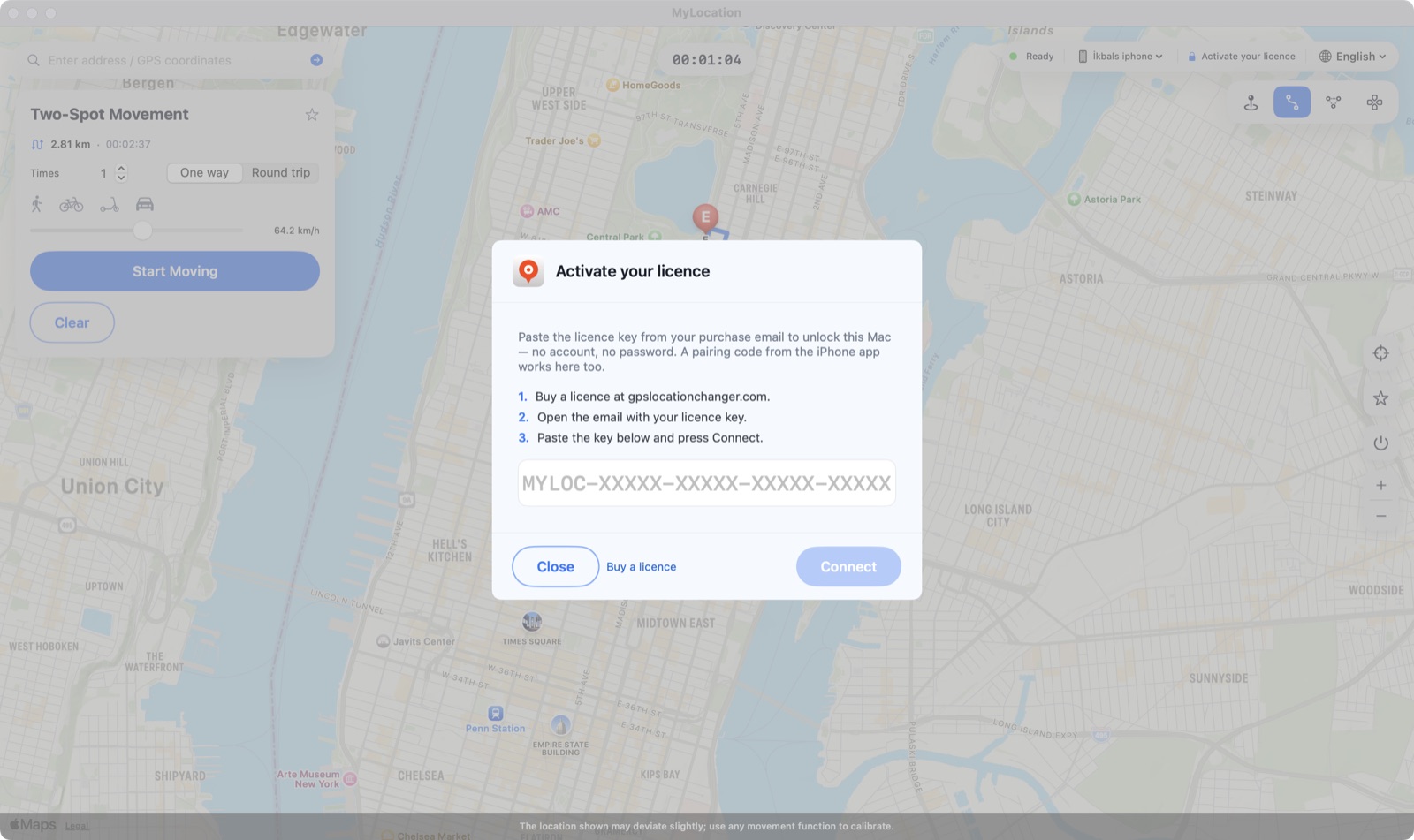
Click Activate your licence in the top bar, paste the key, press Connect. The Mac re-checks every few days and works offline in between.

MyLocation does not move a pin inside its own map. It uses the location-simulation facilities Apple and Google provide for developers — the same ones Xcode and Android Studio use — so the position the operating system reports changes, and every app reads it through the normal Location Services API.

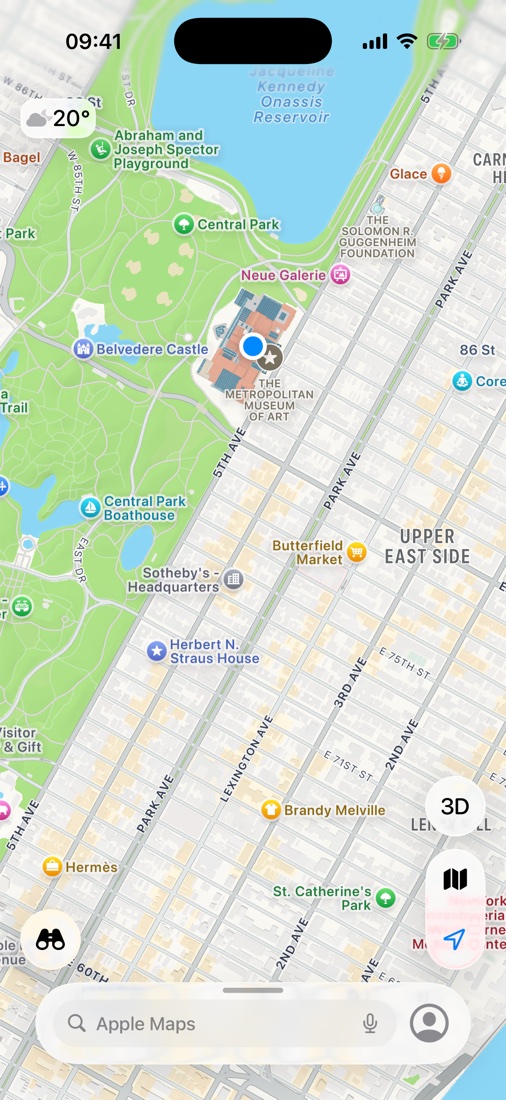
Maps on the iPhone a moment after picking The Met, New York on the Mac. The blue dot is the location iOS reports to every app.
Some apps and services require your real location in their terms of service. MyLocation is intended for development, testing, privacy and travel planning; you are responsible for complying with the terms of the apps you use.
A focused tool that does one job well.
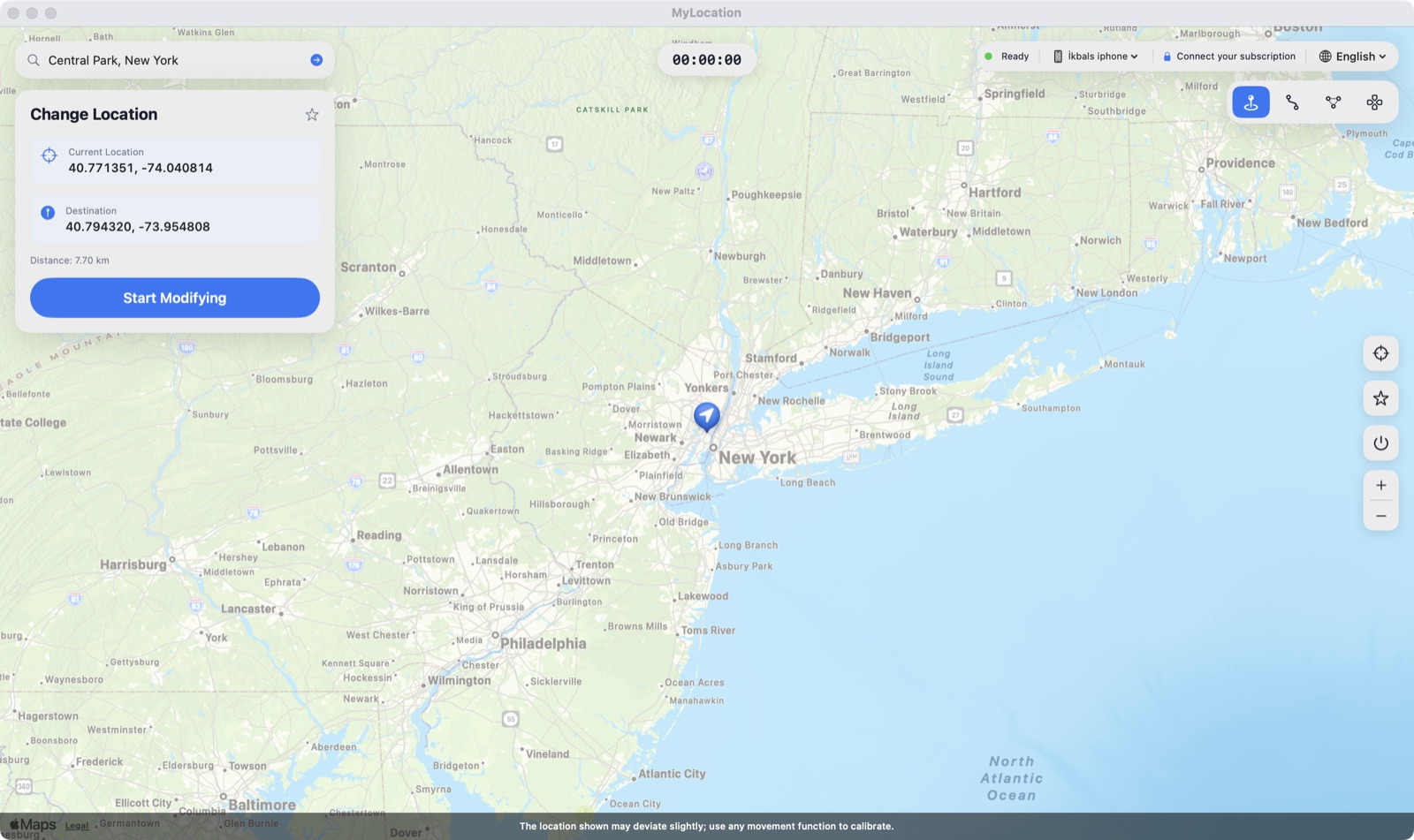
Click the map and the iPhone is there.
Search a place or type latitude / longitude.
Save spots you use often and jump back in a click.
Stop, unplug or restart — real GPS returns instantly.
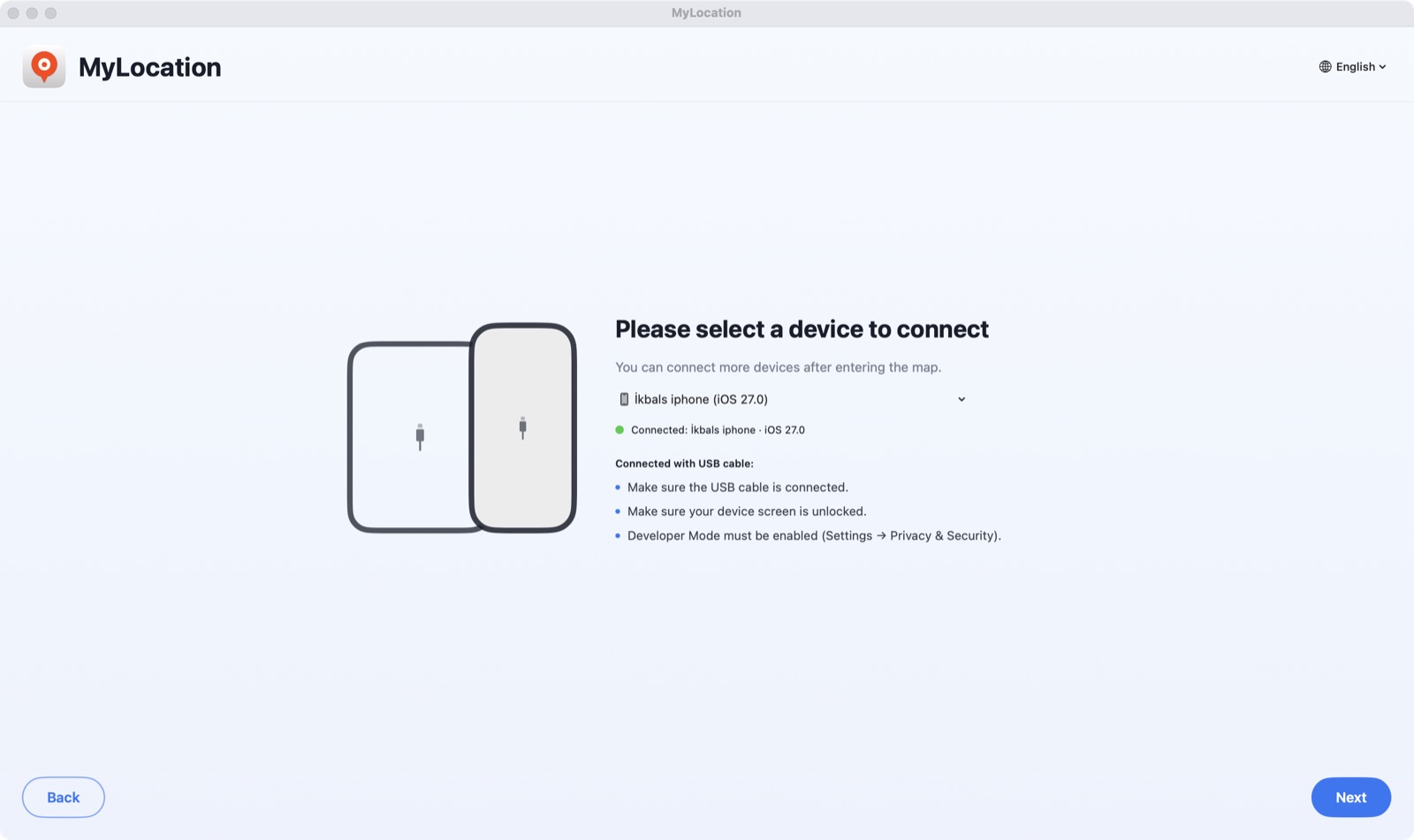
Plug in, tap Trust, done. Wi-Fi may continue after pairing.
Nothing installed on the phone, no profiles, no root.
Activate with the key from your purchase email — no Apple ID, no account.
Home and office. Swap a Mac any time.
The developer location simulation iOS ships with.
Signed with Developer ID; macOS opens it without warnings.
Access is cached; checks online every few days.
All updates included with your licence.
About two minutes the first time; seconds after that.

Open the DMG, drag MyLocation to Applications. Turn on Developer Mode (iPhone) or USB debugging (Android), plug the phone in and tap Trust / Allow.

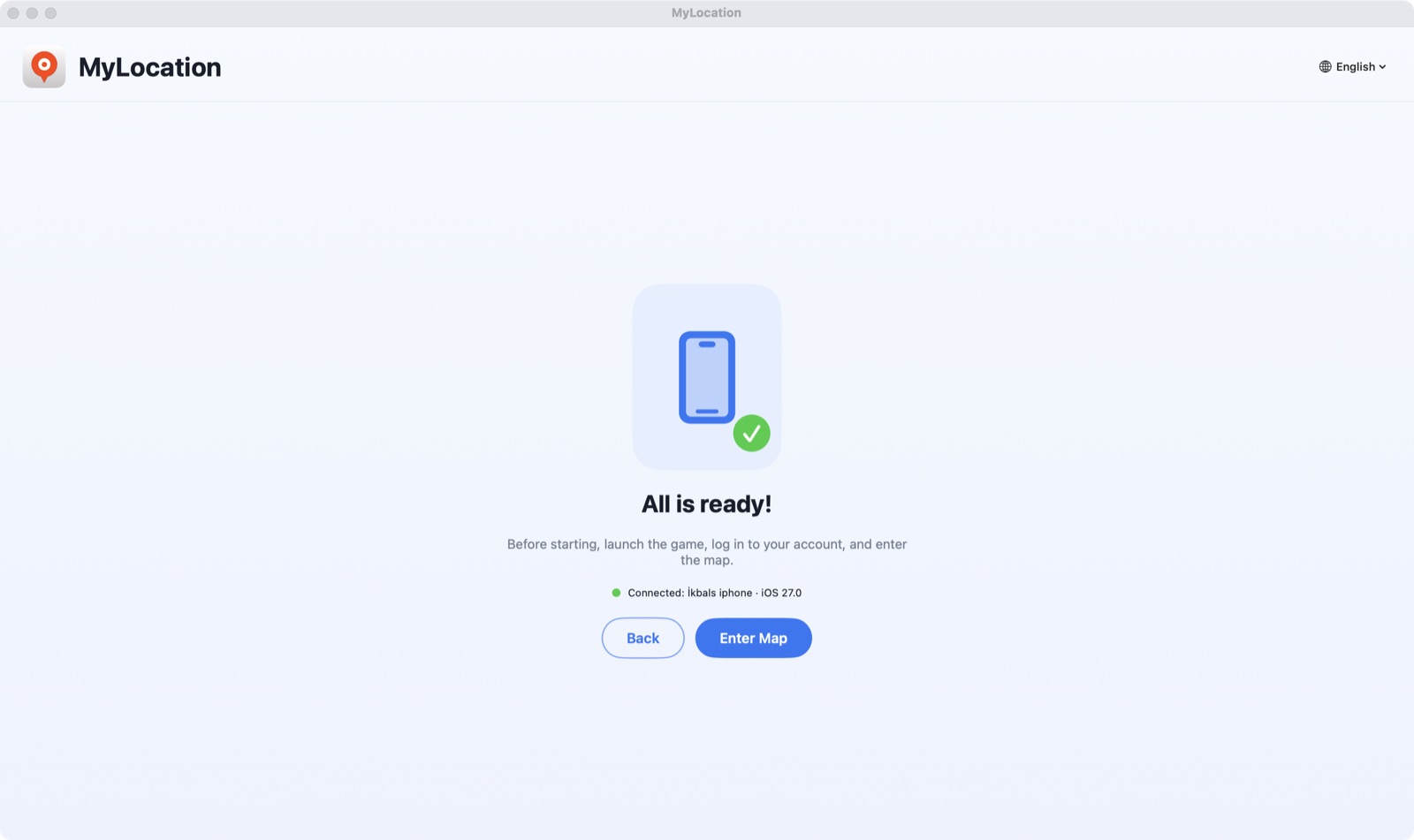
The app finds your phone in seconds. Click Activate your licence and paste the key from your purchase email.

Search an address or click the map, then press Start Modifying. Your iPhone now reports that location.
Apple only lets a connected computer simulate location when Developer Mode is on. It is an official switch in Settings: it does not jailbreak the phone, does not void the warranty, and you can turn it off again whenever you like.
Works on iOS 18 to iOS 27. Step-by-step article: How to enable Developer Mode on iPhone.
Settings → Privacy & Security → Developer Mode
On Android the app uses the system's own test-location provider over ADB, the debugging bridge Google ships for developers. No root, no mock-location app to install, and it switches back to real GPS when you stop.
Settings → System → Developer options → USB debugging
adb bridge. The phone appears in the device list within seconds.Android 12 or later. Works with phones and tablets from Samsung, Google Pixel, Xiaomi, OnePlus and others. Any app that uses Android's Location Services reads the simulated position.
Check these before downloading.
The app is a free download — install it and check that it finds your phone before you pay. Every purchase has a 30-day money-back guarantee. Checkout is handled securely by Gumroad; your licence key is shown right after payment.
Yes. While a session is active, iOS reports the simulated coordinates to the apps on your iPhone. It is a simulation layer, not a hardware change — stop the session, unplug, or restart the iPhone and the real GPS is back.
Yes. Turn on USB debugging, connect the phone and MyLocation sets the system location through ADB, Android's developer bridge. No root and no mock-location app are needed. You need Android 12 or later; the required adb tool is built into the app.
Both Apple and Google only expose system-wide location simulation to a computer connected to the phone — the way Xcode and Android Studio do it. That is also why no jailbreak, root, VPN or profile is needed.
It is a switch in iPhone Settings → Privacy & Security. Apple provides it for developers; turning it on does not modify iOS or void your warranty, and you can turn it off any time.
Buy a licence and your licence key is shown on the receipt page and sent by email. Paste it into the Mac app once; it works on up to two Macs. There is no account to create and the Mac never asks for your Apple ID.
Write to okbsoft@gmail.com from the email address you purchased with and we will resend it.
Currently Apple silicon Macs only. Intel and Windows are on the roadmap; contact us if you need them.
Yearly licences can be cancelled by emailing us; the licence stays active until the period ends. Within 30 days of purchase we refund in full if it does not work for you. See the refund policy.
Download the Mac app, get a licence, paste your key. Two minutes.