How to Change Your iPhone Location Without Jailbreak (2026 Guide)
Every year the same question comes up: how do I change my iPhone's location? And every year most of the answers are wrong or outdated. This guide explains what actually works on current iOS versions, why, and what it costs you.
What does not work (anymore)
- VPNs. A VPN changes your IP address, not your GPS. Apps that use Location Services still see your real position.
- "Fake GPS" apps from the App Store. iOS does not let an app override the system location for other apps. Apps that claim to are moving a pin on their own map only.
- Jailbreak tweaks. Jailbreaks for recent iOS versions are rare, unstable and void your warranty.
- Configuration profiles / "VPN + location" tricks. These stopped working years ago.
What works: Apple's developer location simulation
iOS has a built-in feature for developers: while an iPhone is connected to a computer with Developer Mode on, the computer can tell iOS to report a chosen location. Xcode uses it to test apps. It is not a hack — it is the mechanism Apple ships — and it affects every app on the phone, because it sits under Location Services.
MyLocation for Mac packages exactly this: a map on your Mac, a cable to your iPhone, and a licence key that unlocks it.
- A Mac (macOS 13 or later, Apple silicon) and a USB cable
- iPhone on iOS 18 or later with Developer Mode turned on (Settings → Privacy & Security → Developer Mode)
- MyLocation for Mac (free download) and a licence — $9.99/month, $39.99/year or $79.99 lifetime, 30-day money-back guarantee
Step by step
- Install the Mac app. Open the DMG, drag MyLocation to Applications, launch it. The first launch installs its device connection service and asks for your Mac password once.
- Connect the iPhone. Plug it in with a cable, unlock it, tap Trust. Developer Mode must be on. The app lists the device within a few seconds.
- Activate. Click Activate your licence in the top bar and paste the key from your purchase email (get a licence).
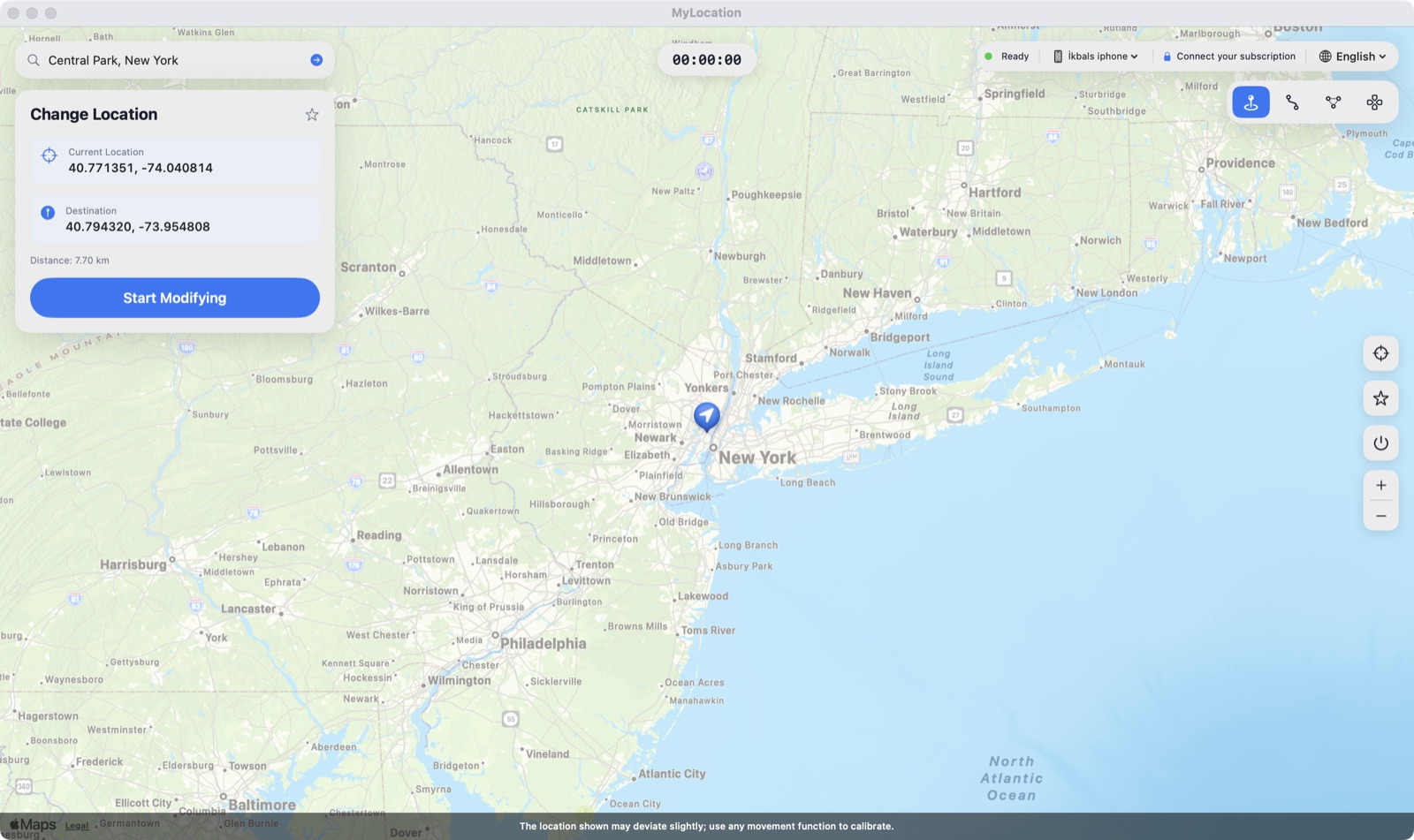
- Pick the location. Search an address, paste coordinates, or click the map. Press Start Modifying. The iPhone now reports that position.
- Go back to real GPS. Press Stop in the Mac app, unplug the cable, or restart the iPhone.
Things to know before you start
- It is a session, not a setting. The simulated location holds while the Mac app is running and the phone stays connected (after pairing the link can continue over Wi-Fi on the same network). Unplug, quit, or restart and the real GPS is back.
- Apps can notice sudden jumps. Moving from Istanbul to Tokyo in a second is detectable, and some services forbid simulated locations in their terms. Use it where it is allowed: your own apps, testing and privacy.
- Terms of service. Some services forbid simulated locations. You are responsible for how you use it.
- Intel Macs and Windows are not supported yet; the current build is for Apple silicon.
Change your iPhone location from your Mac
MyLocation for Mac uses Apple's own developer location simulation. No jailbreak, no VPN. Requires Developer Mode. From $39.99/year, 30-day money-back guarantee.
Download for Mac Get a licenceFAQ
Is Developer Mode safe?
Yes. It is an official switch in iPhone Settings. It does not modify iOS, does not void the warranty, and you can turn it off any time.
Will the iPhone show that the location is simulated?
The location arrow in the status bar appears as usual. There is no separate "simulated" indicator.
Does it need an internet connection?
The Mac checks the subscription every few days; in between it works offline.